

You inherited their workflows. Now you need answers.
Howly maps every workflow connection and dependency, so you can catch what's broken, know the blast radius before you change anything, and hand back a report that proves it.
250+ Solutions Partners · ★★★★★ Rated 5.0/5 on HubSpot Marketplace · Official HubSpot App
250+ Solutions Partners
★★★★★ Rated 5/5 on HubSpot Marketplace
Official HubSpot App

Trusted by 250+ solutions partners









• NEW: ASK HOWLY
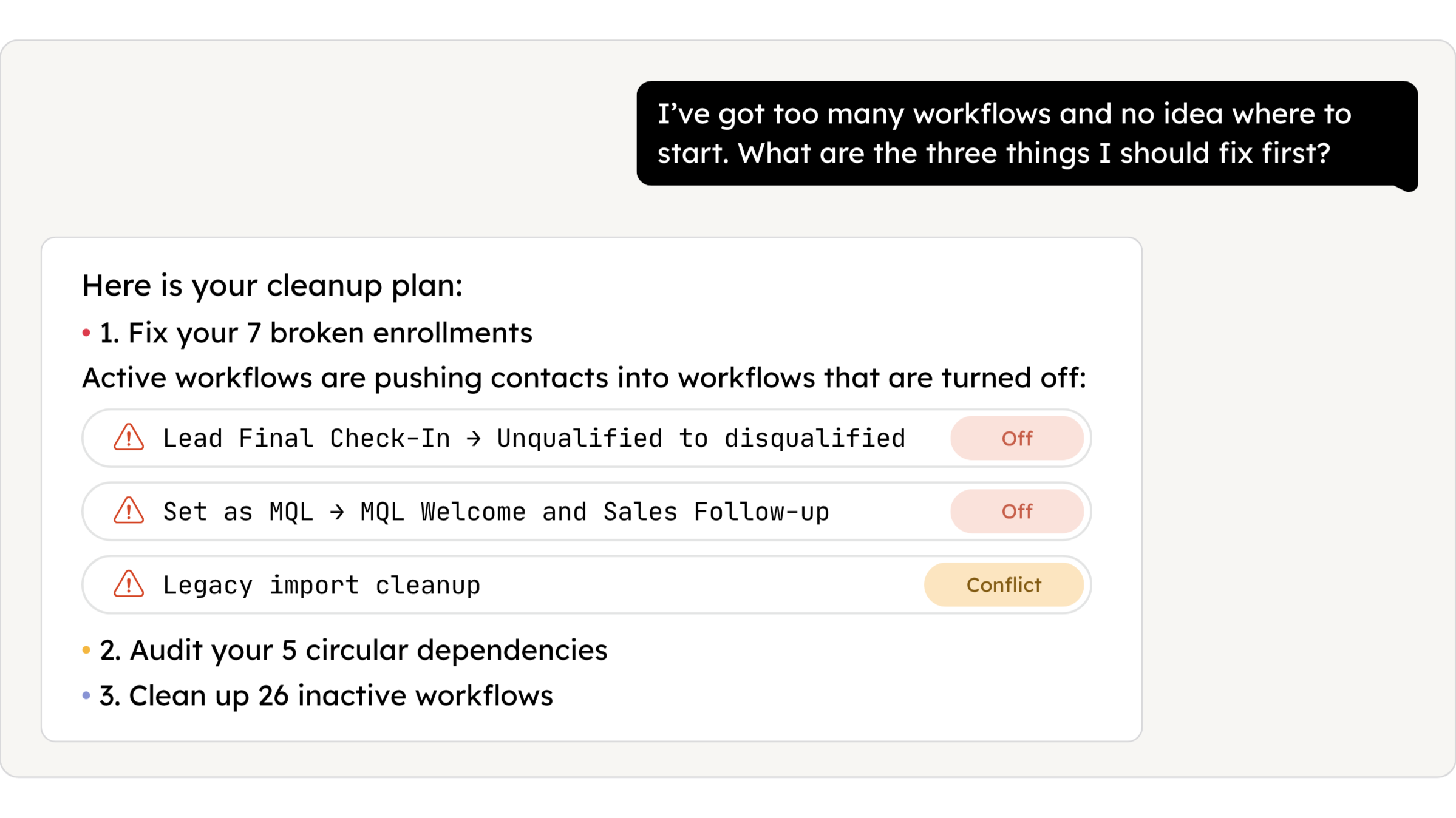
Ask about your workflows.
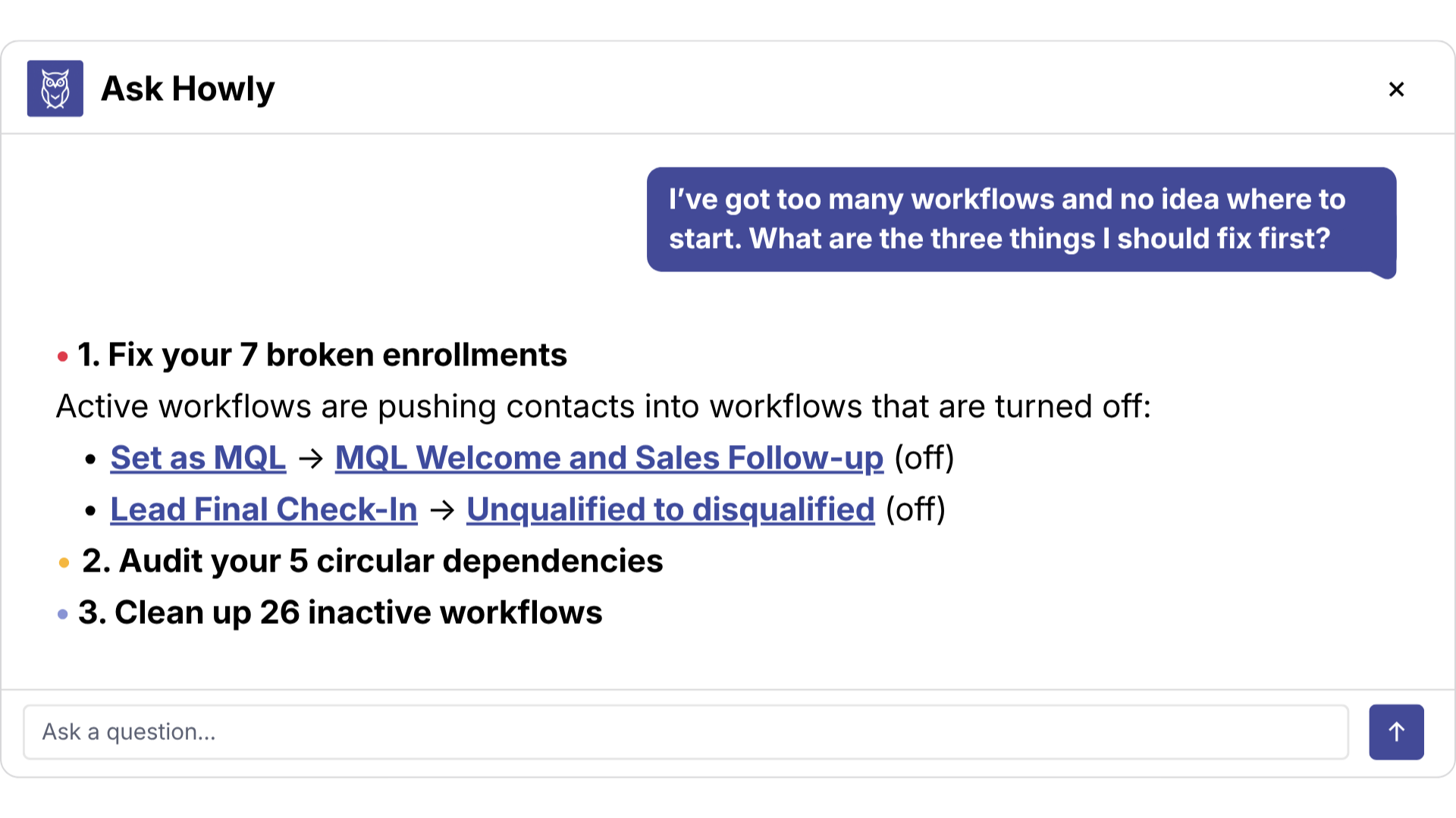
Connect a HubSpot portal and ask Howly what’s going on. What’s broken, what to fix first, what happens if you change something. It reads your workflows, answers questions about them, and links straight to the map.


• WORKFLOW CANVAS
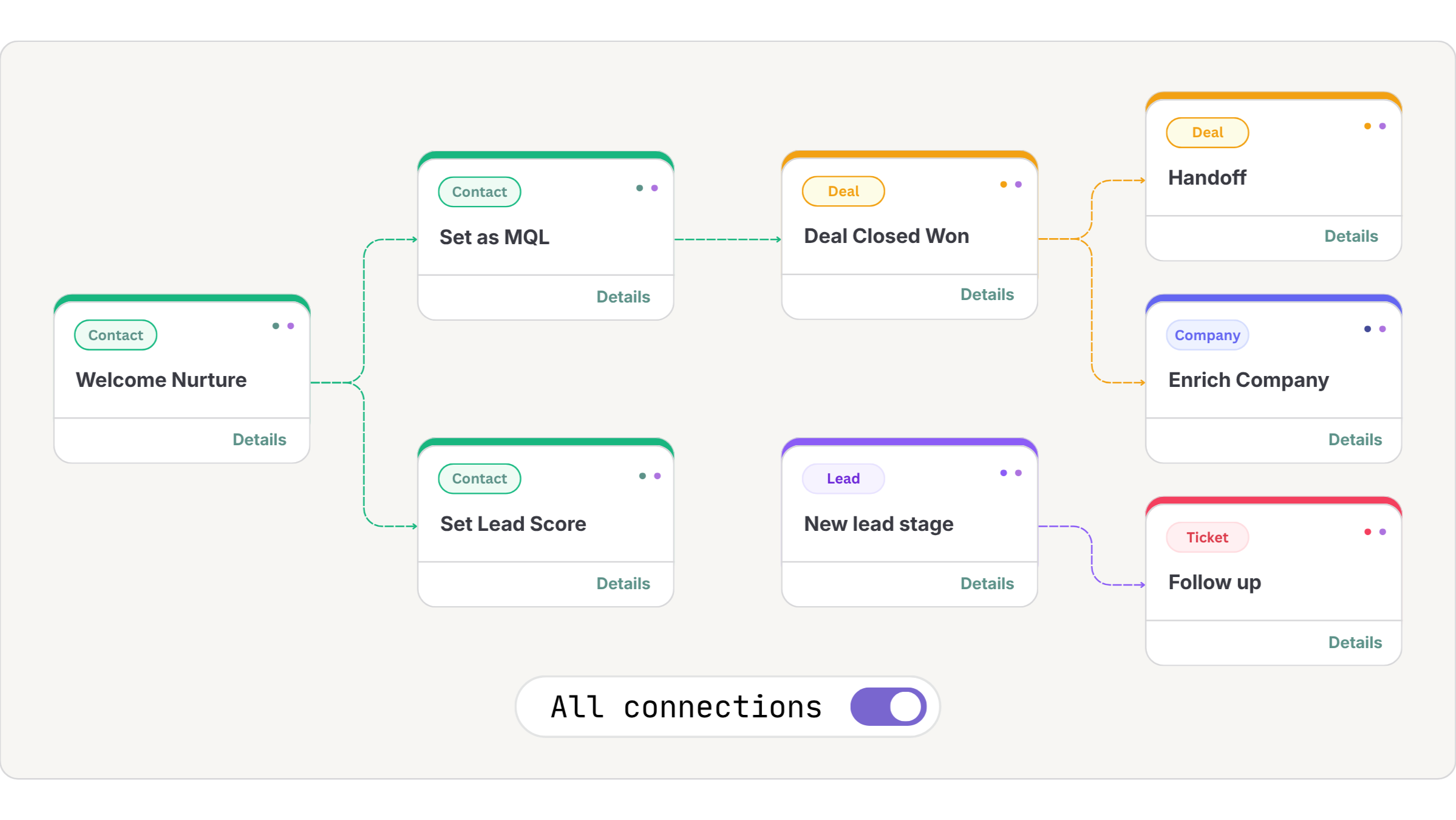
See how it all connects.
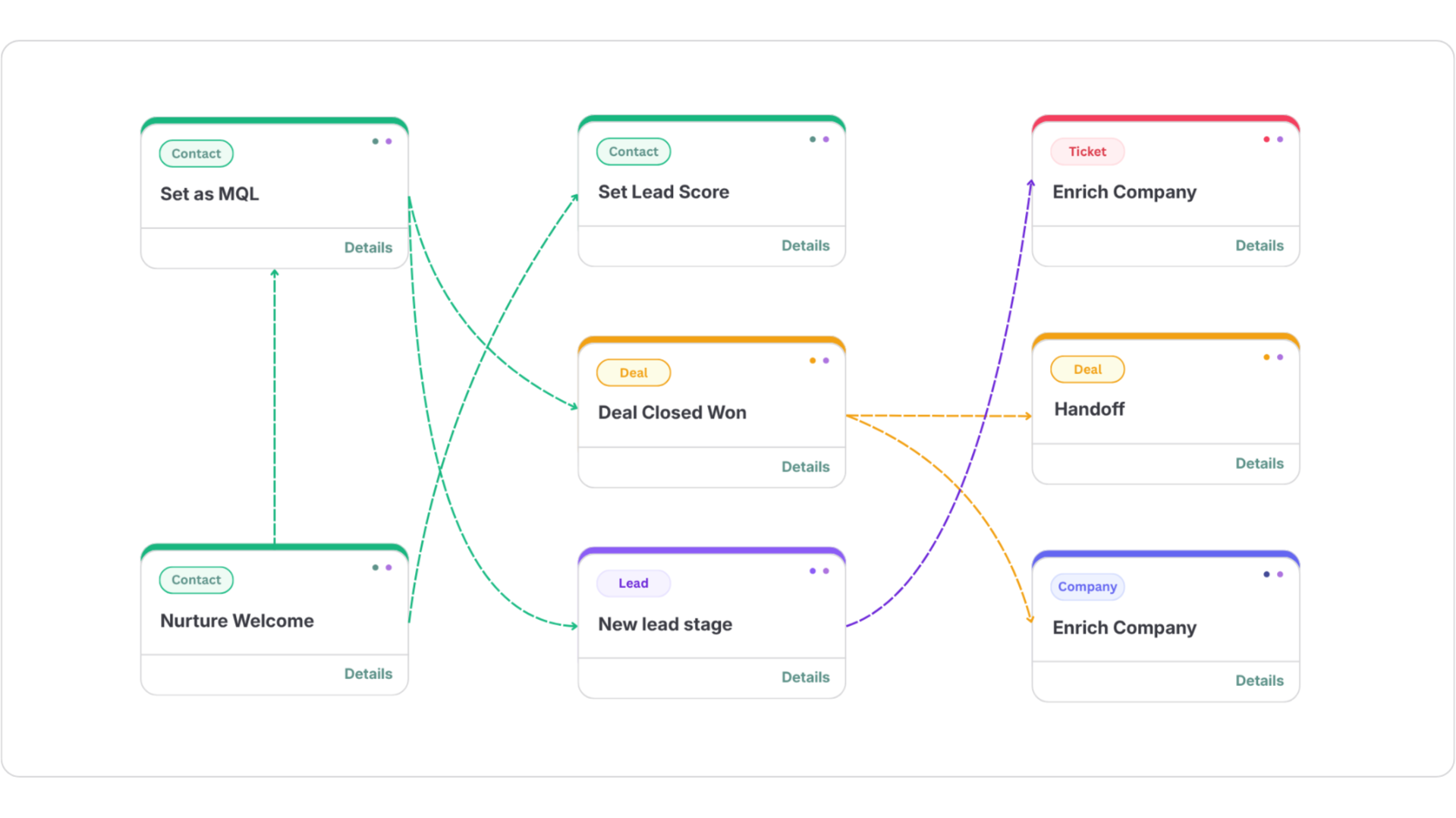
Connect a HubSpot portal and Howly maps every workflow on one canvas. Direct enrollments, shared lists, property triggers, all of it, without opening a single workflow.
Direct enrollment chains across object types
List-based and property-based trigger connections
Export your live maps to PDF, PNG, or Lucidchart
• PROPERTY IMPACT
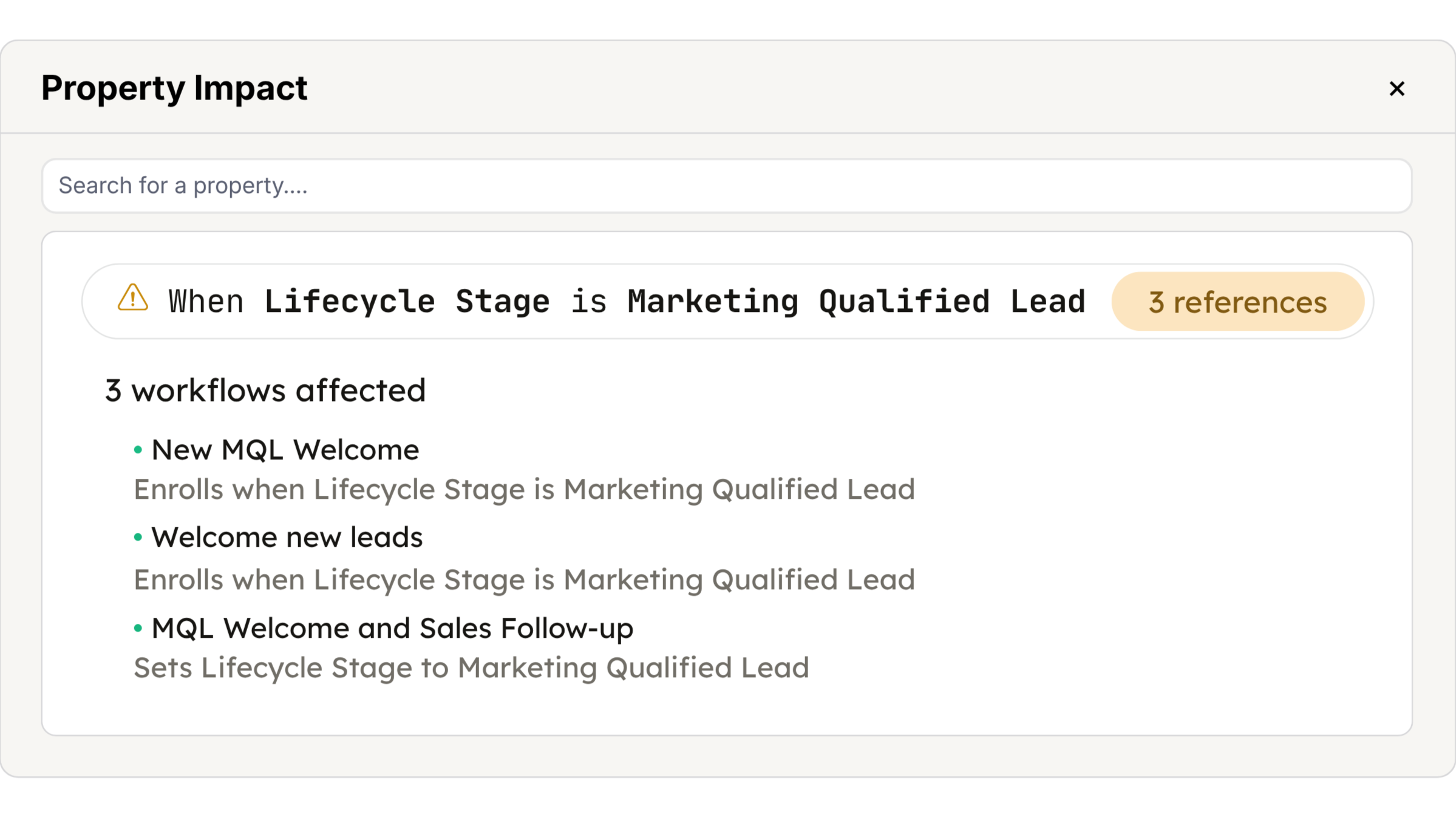
Know the blast radius.
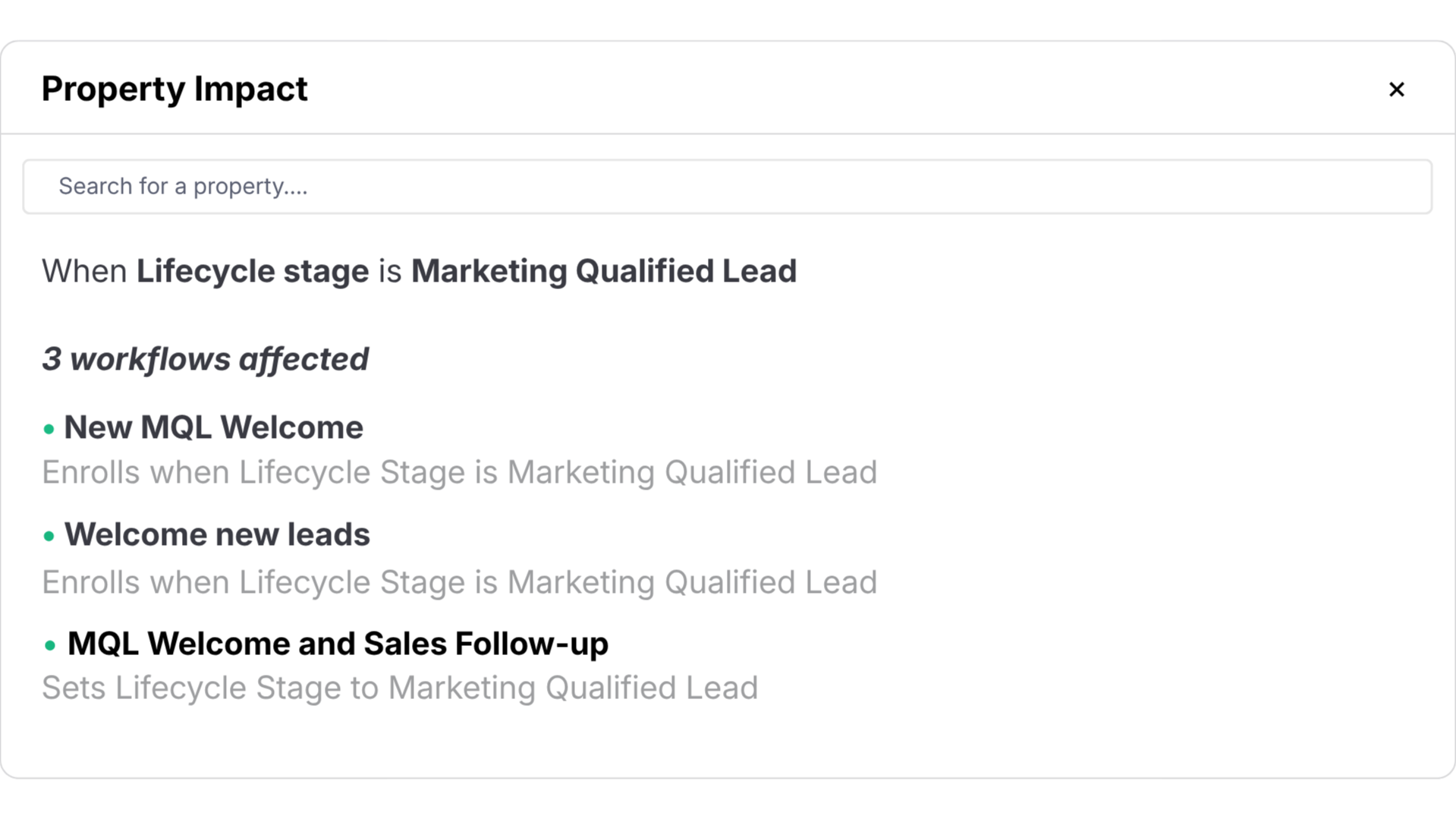
Howly traces every upstream and downstream dependency, so you can tell exactly what a change will affect. Draft a planned workflow on the canvas and catch conflicts before you build it.
Upstream and downstream dependency mapping
Property impact across your entire portal
Change tracking down to the action level
• HEALTH CHECK
Get the portal health score.
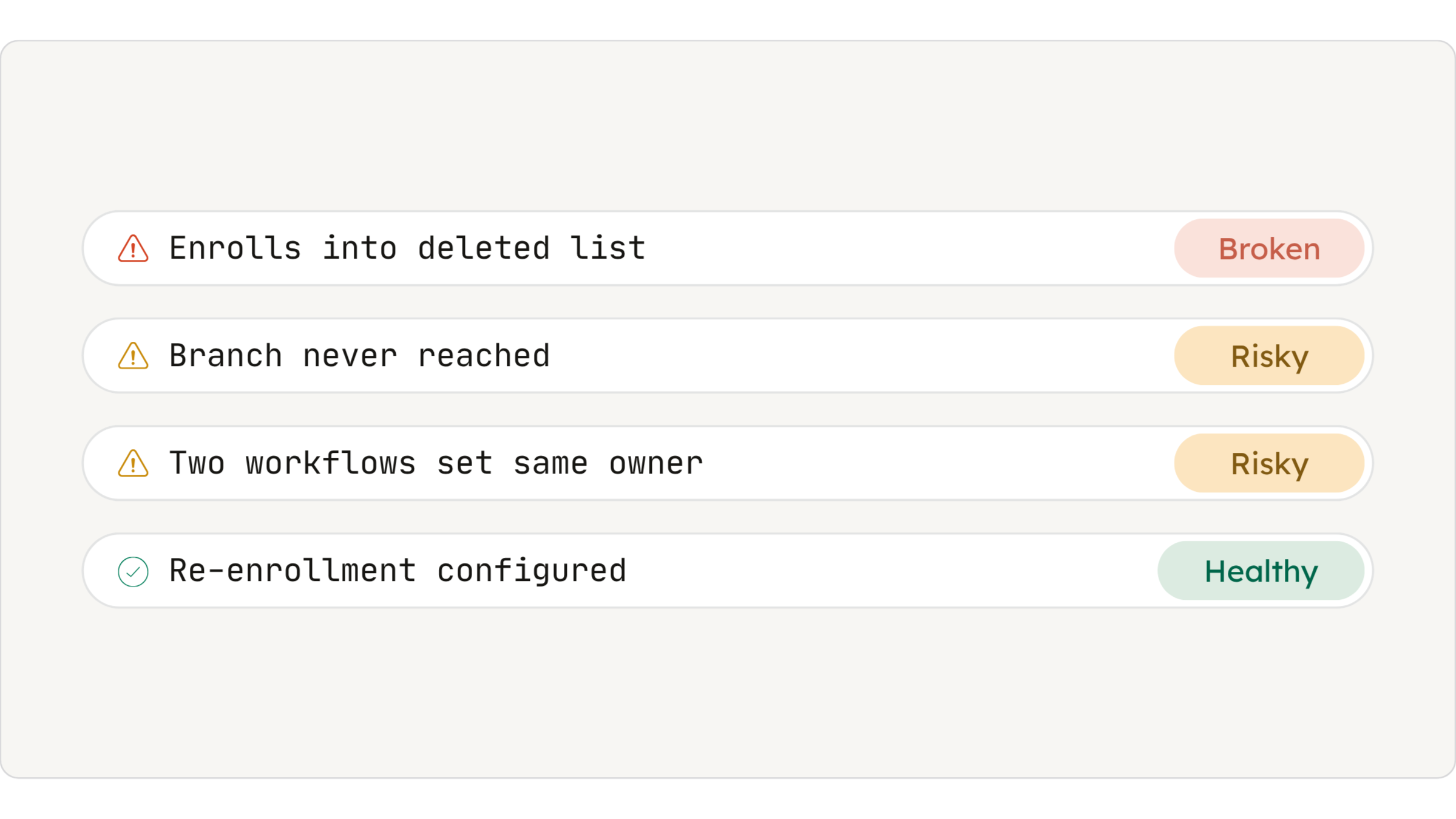
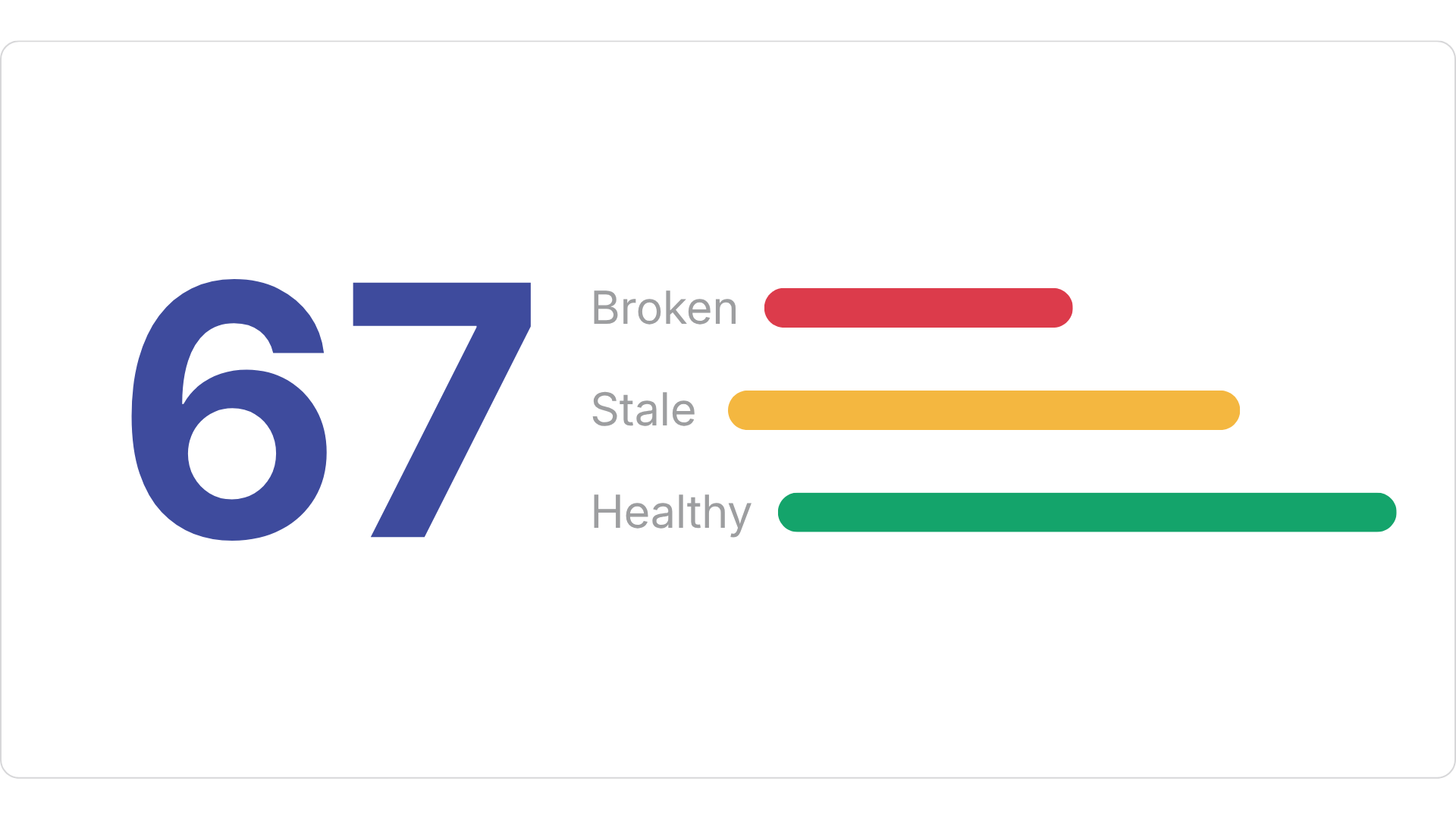
Howly flags what's stale, orphaned, empty, or broken, and catches workflows silently writing the same property to the same value. You get a health score, which doubles as your before-and-after when the cleanup is done.
Stale, orphaned, and empty workflow detection
Duplicate actions causing race conditions
Health score tracked month over month
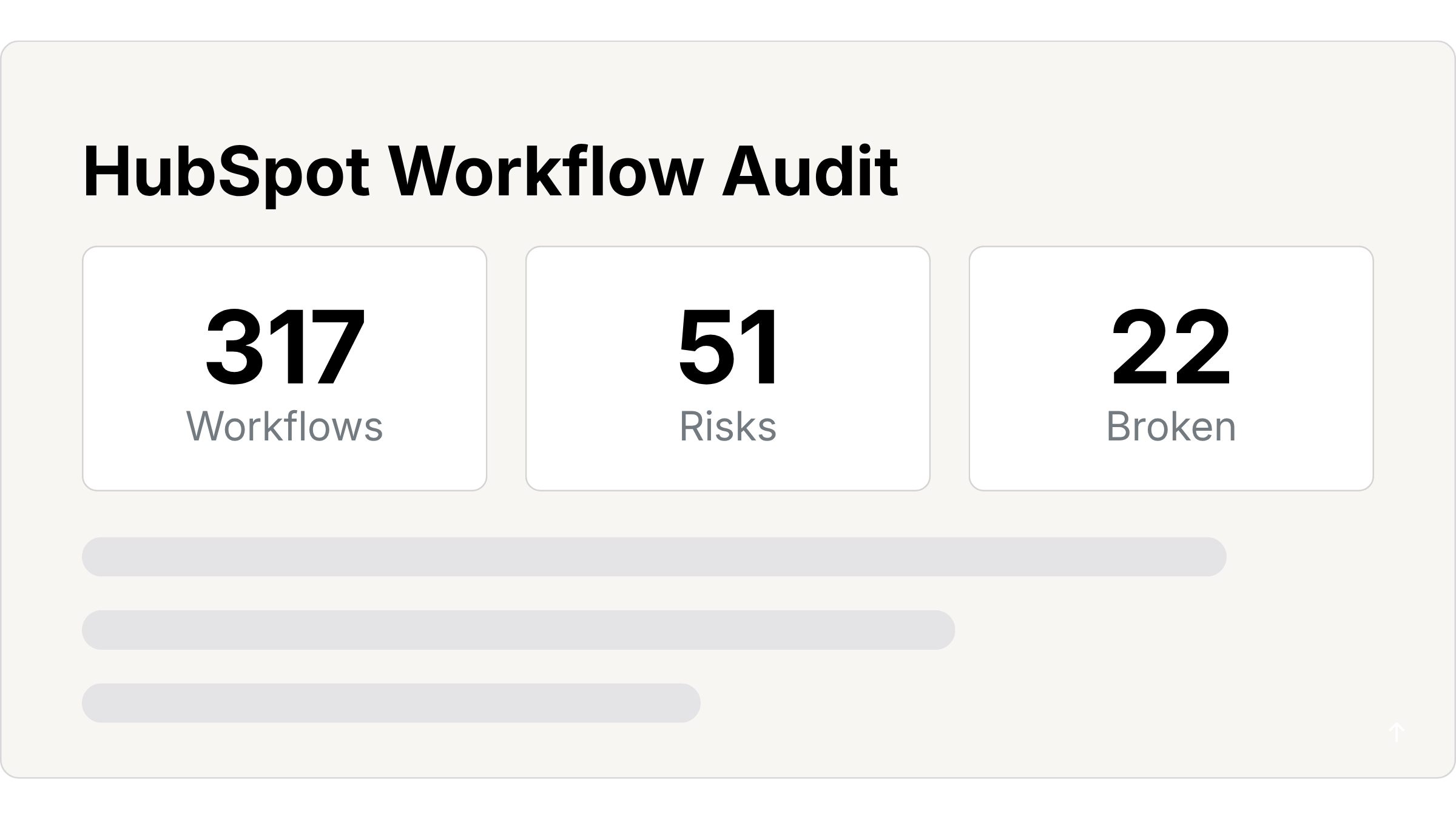
• AUDIT REPORT
Hand back the report.
Export the whole audit under your logo and colors. Health score, findings ranked by priority, full workflow inventory. The deliverable that justifies the scope instead of a doc you spent a day writing.
White-labeled with your brand
Instant SOPs and documentation
Win the work with proof
Automation without visibility is guesswork.
Connect a portal and know exactly what you're working with.
Frequently Asked Questions

#1 Workflow Audit Tool for HubSpot Solutions Partners. Map, audit, and document HubSpot workflows in minutes.
Resources

© 2026 Howly · Powered by HubSpot, Inc.

Audit your HubSpot automations with Claude
Connect Howly’s live infrastructure engine directly to your Claude Desktop workspace via our native MCP server. Ask questions about workflow triggers, spot duplicate loops, and get prioritized optimization recommendations instantly.

Trusted by 250+ solutions partners
See Howly for Claude in action
Ask Claude about your workflows
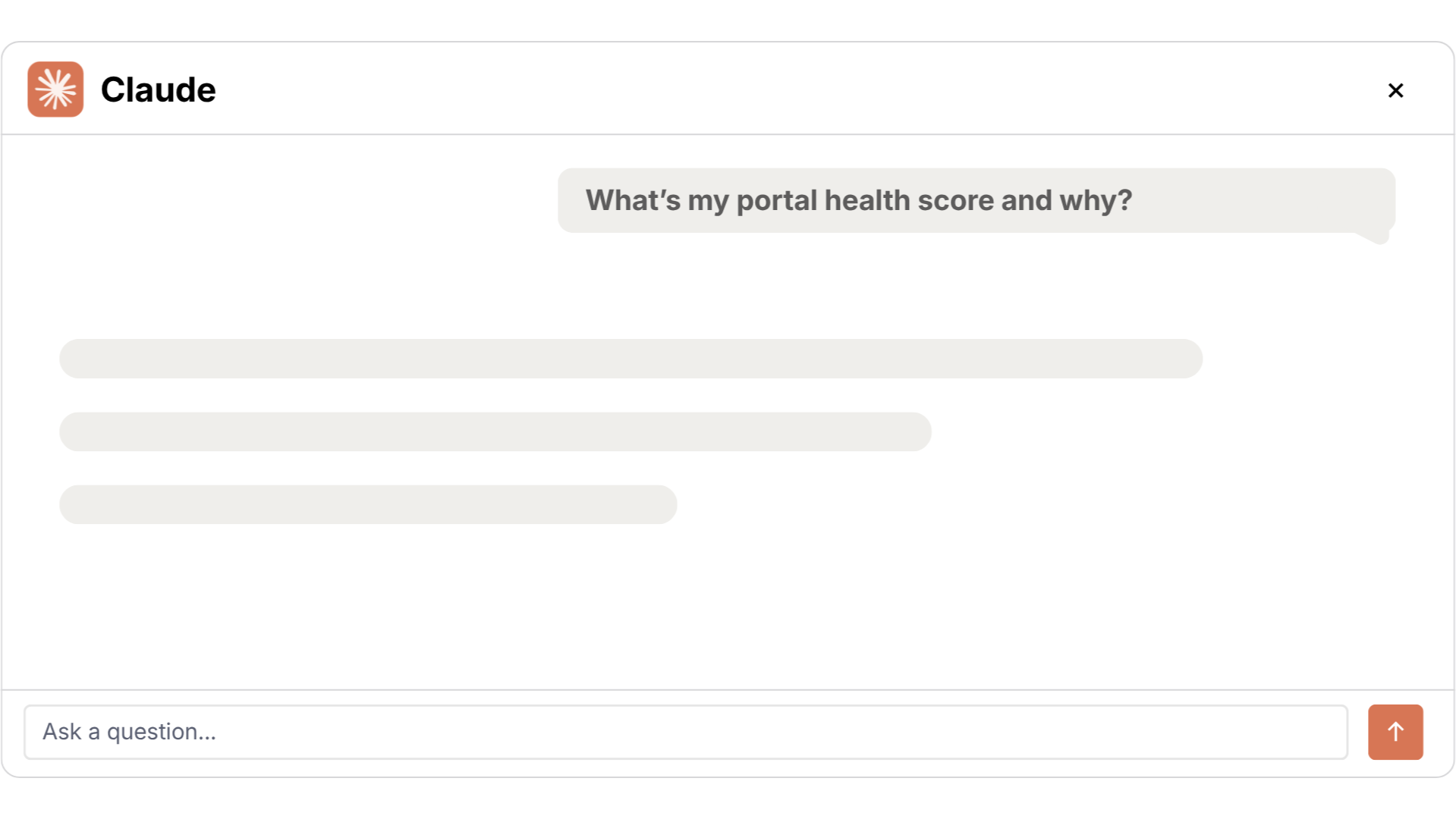
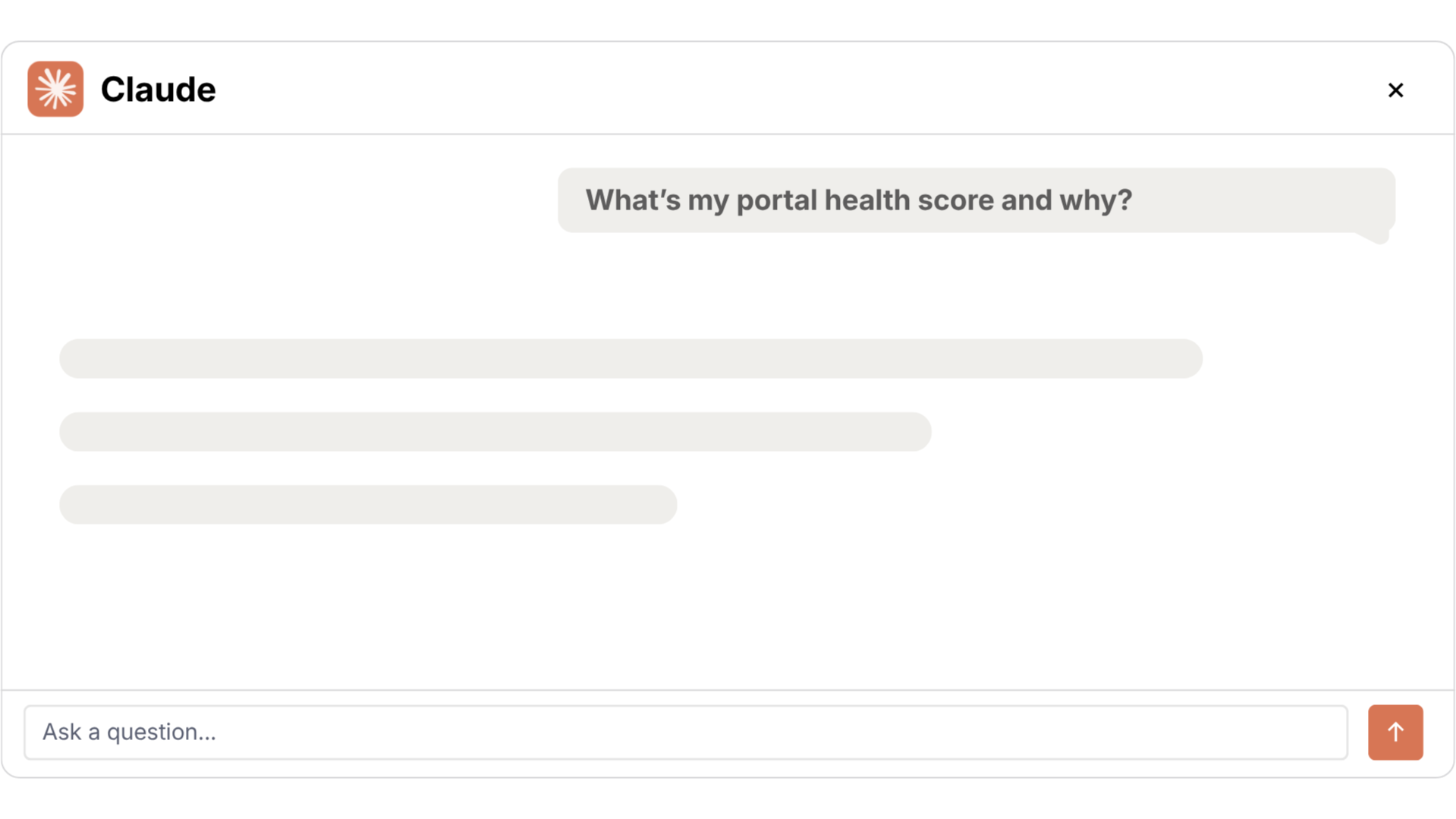
Query your HubSpot portal health directly from Claude Desktop. Ask about broken enrollments, stale workflows, and your overall health score without opening Howly.
Native MCP integration with Claude Desktop
Query portal health in natural language
The only HubSpot workflow tool with MCP support
Run AI workflow audits
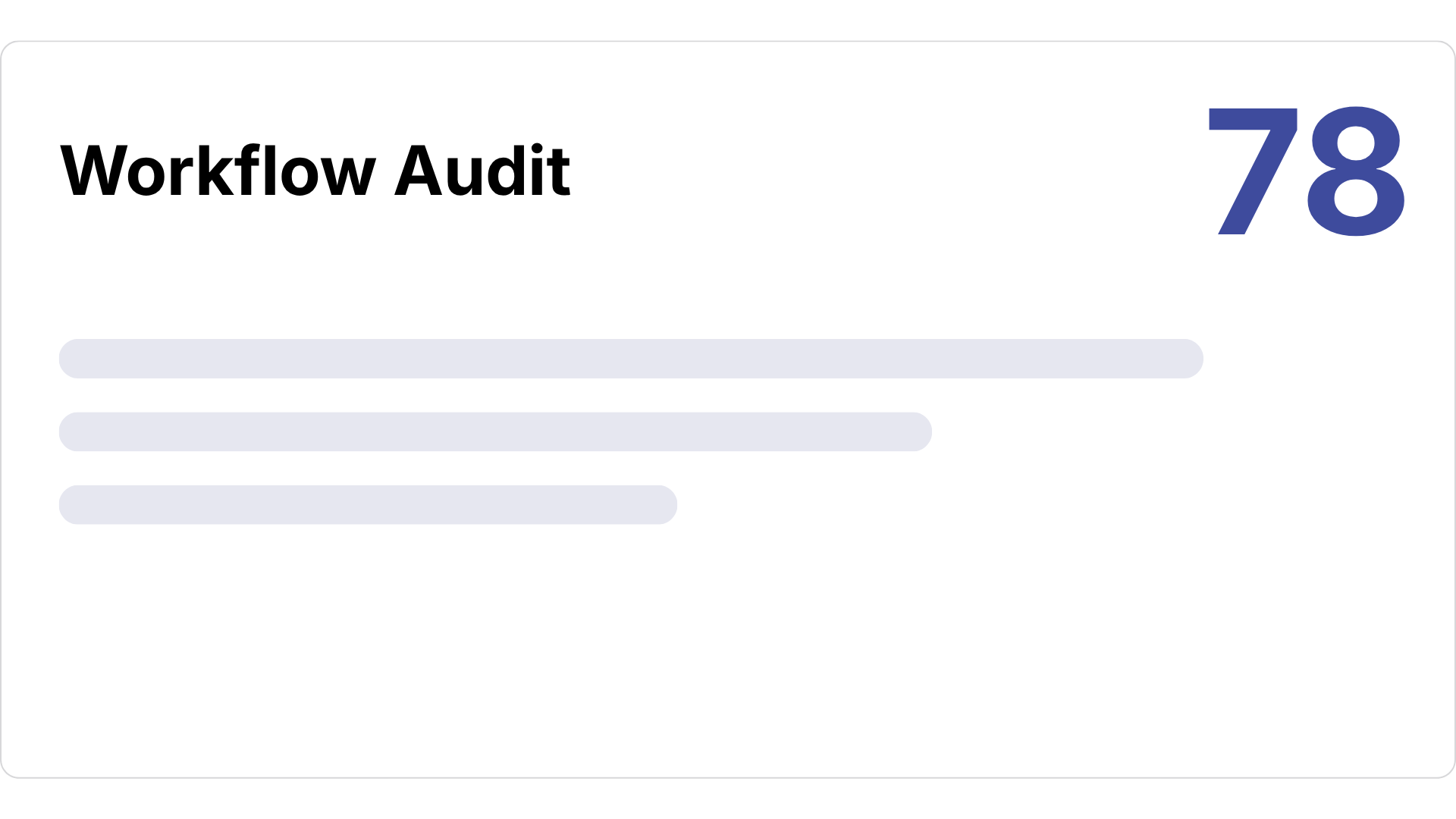
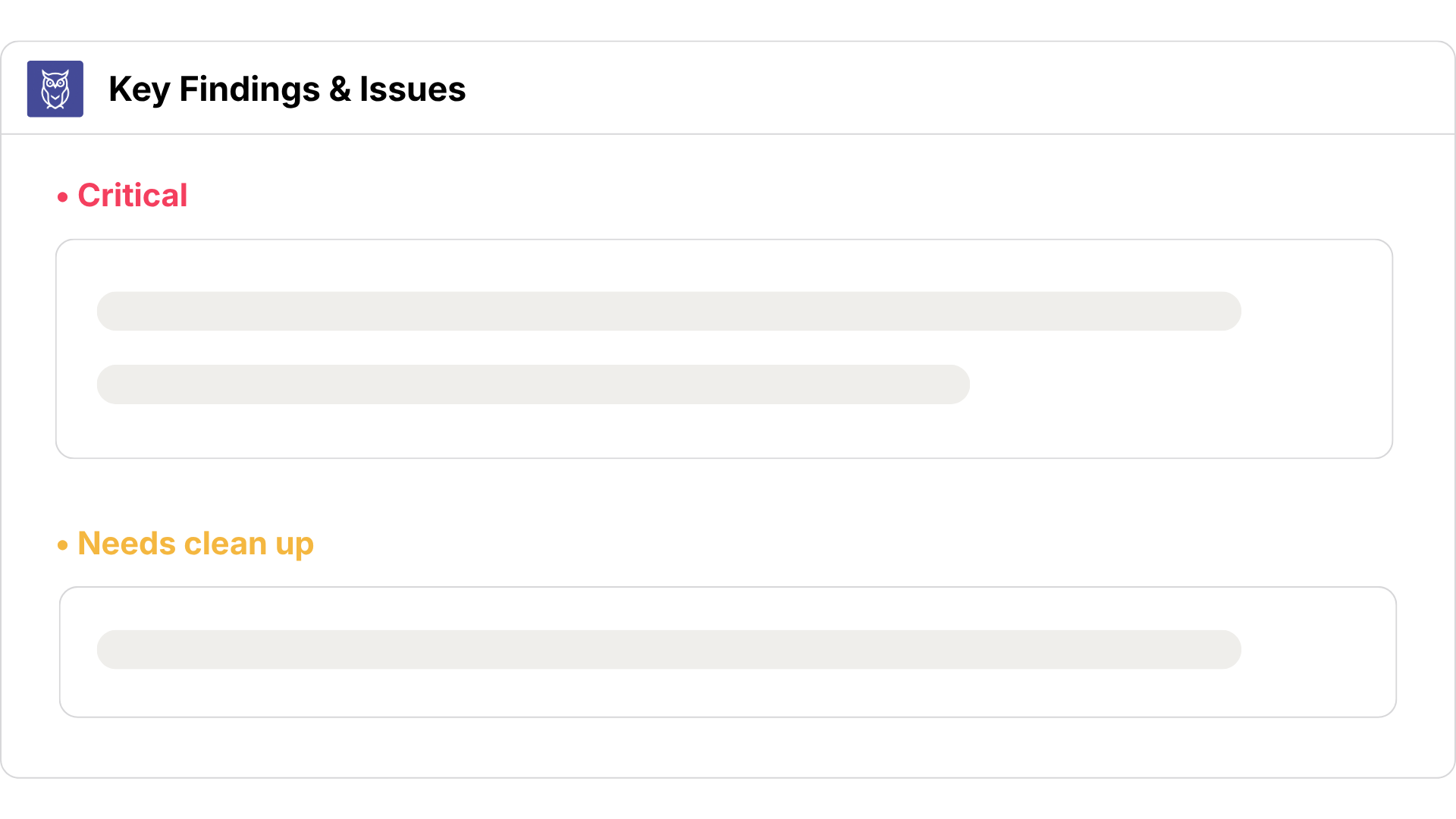
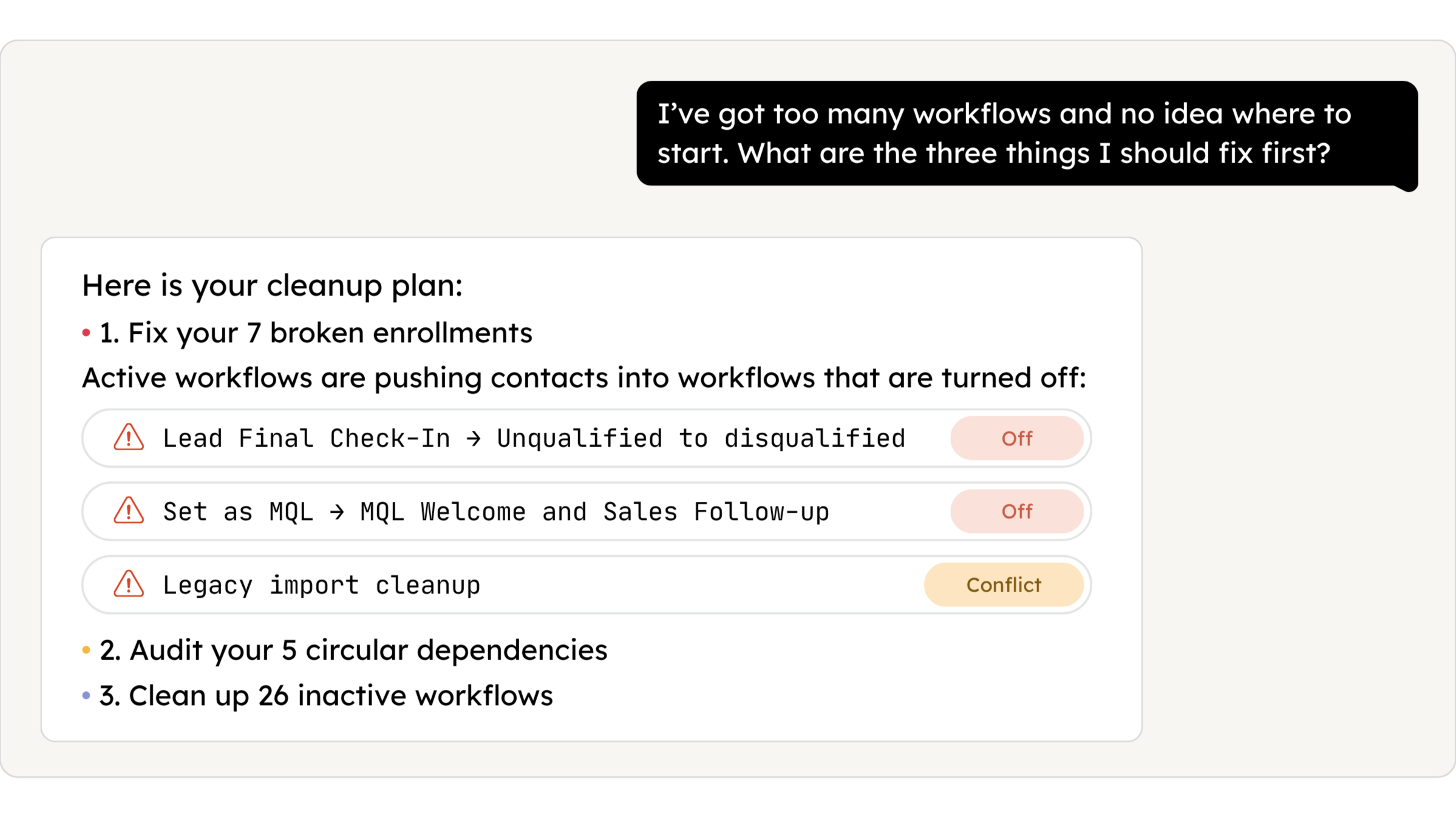
Get a full AI audit of your HubSpot workflows in 15 seconds. Every finding ranked by priority so you know exactly where to start.
Issues, gaps, and opportunities surfaced automatically
Every finding ranked by priority
Powered by Claude, runs inside Howly
Get started with Howly for Claude
Step 1: Connect Howly to your HubSpot portal
Step 2: Connect Howly with your Claude Desktop workspace
Step 3: Ask questions, run health audits, and catch hidden automation debt
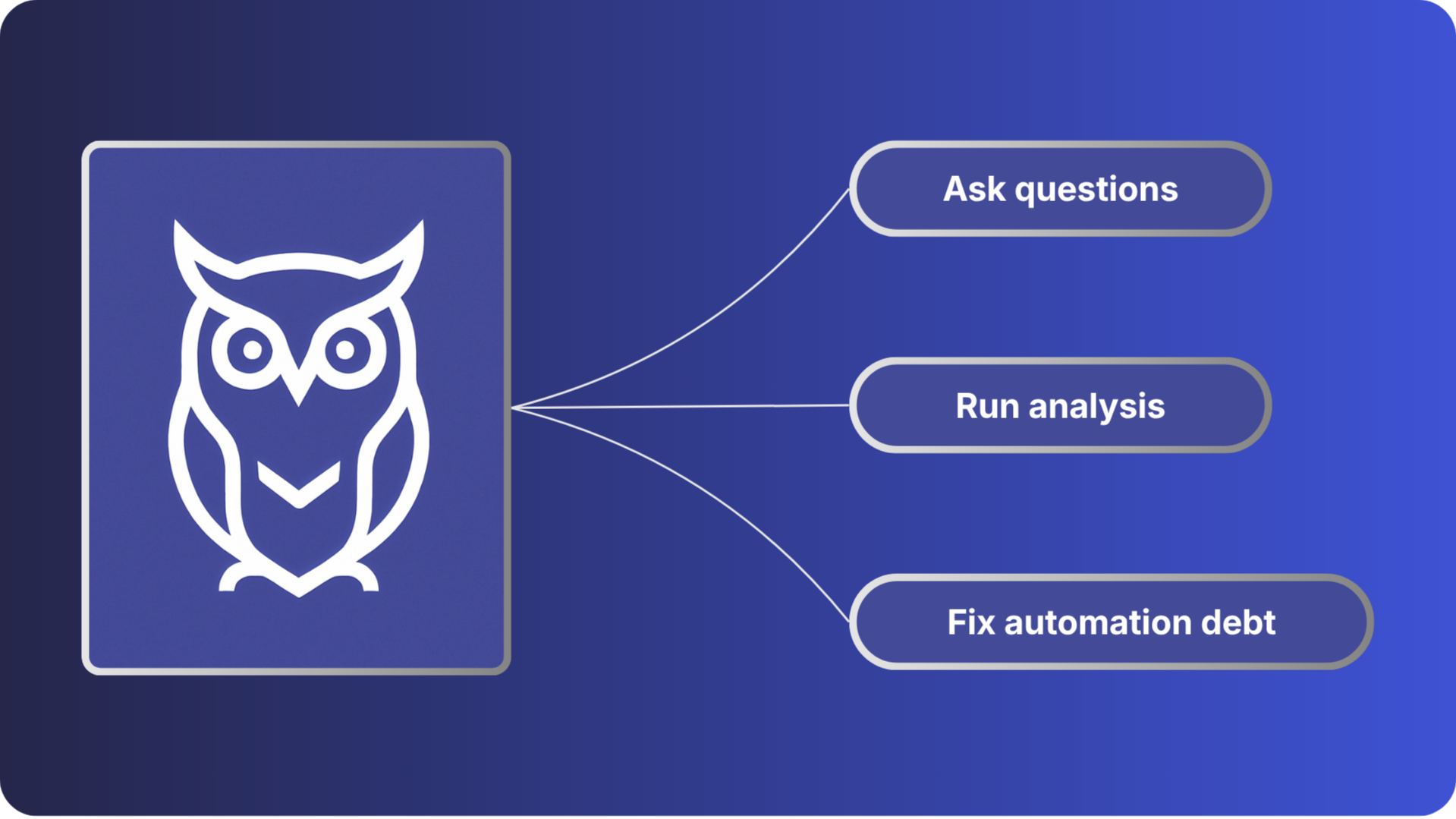
AI use cases and example prompts
Portal health & priority audits
What's my HubSpot portal health score right now, and what are my biggest problems?Give me a prioritized to-do list of everything I should fix in my HubSpot workflows this week.
Inactive & broken workflows
Which of my workflows are broken and trying to enroll contacts into deleted workflows?Are any workflows setting the same property to the same value? Find my redundant logic.
Deep-dives & client reporting
I have a workflow called 'Lead Nurture Sequence' - what does it actually do?Write an email to my client summarizing the current health of their entire HubSpot portal.
Frequently Asked Questions
Automation without visibility is guesswork.
Connect a portal and know exactly what you're working with.

#1 Workflow Audit Tool for HubSpot Solutions Partners. Map, audit, and document HubSpot workflows in minutes.
Resources

© 2026 Howly · Powered by HubSpot, Inc.

Workflow Audits for HubSpot.
Complex portals hide their risk in plain sight. Howly's audit surfaces every workflow, every dependency, and every maintenance risk in one pass.
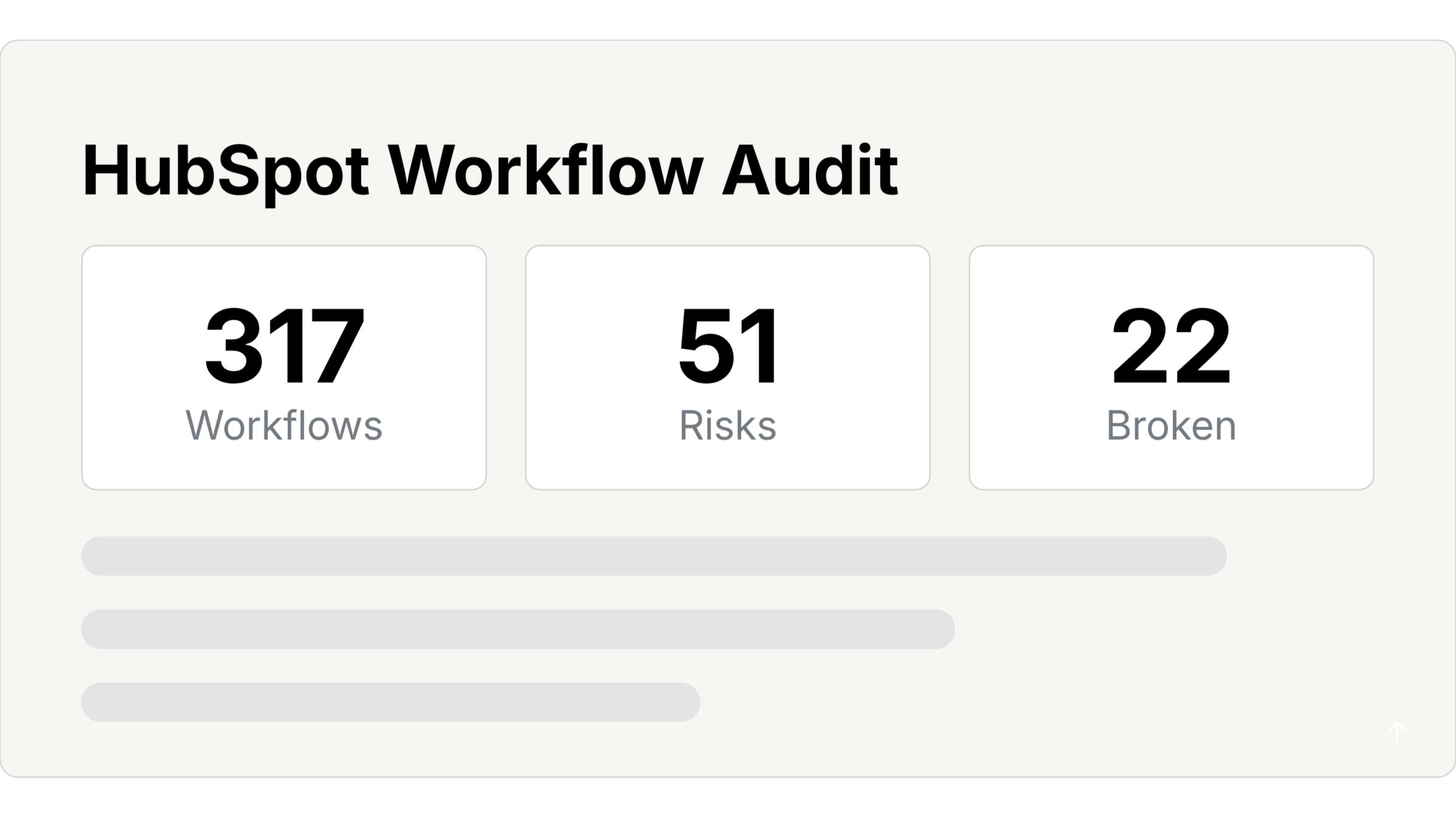
Trusted by 250+ solutions partners
The audit, in five parts
• DIAGNOSTICS
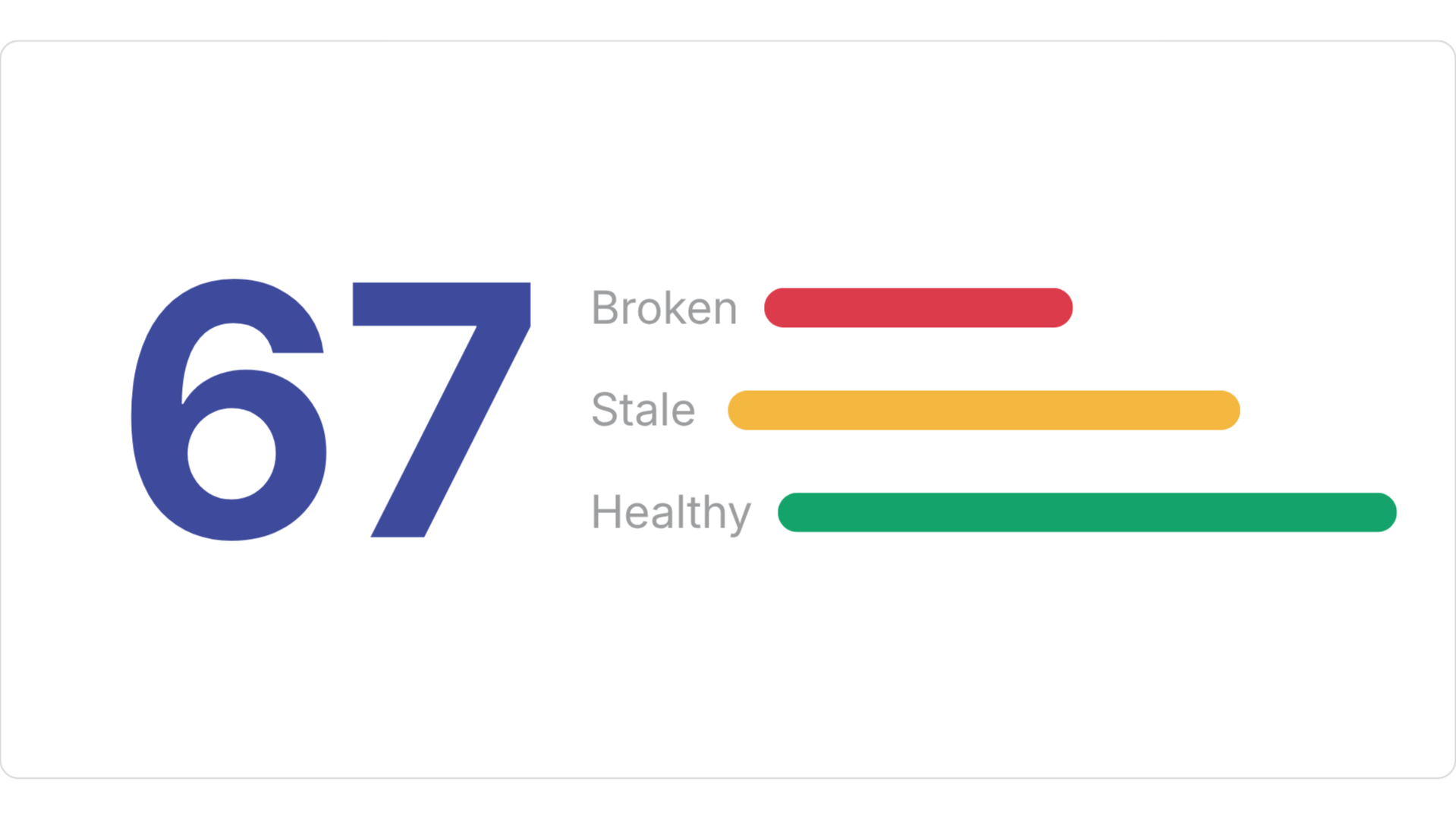
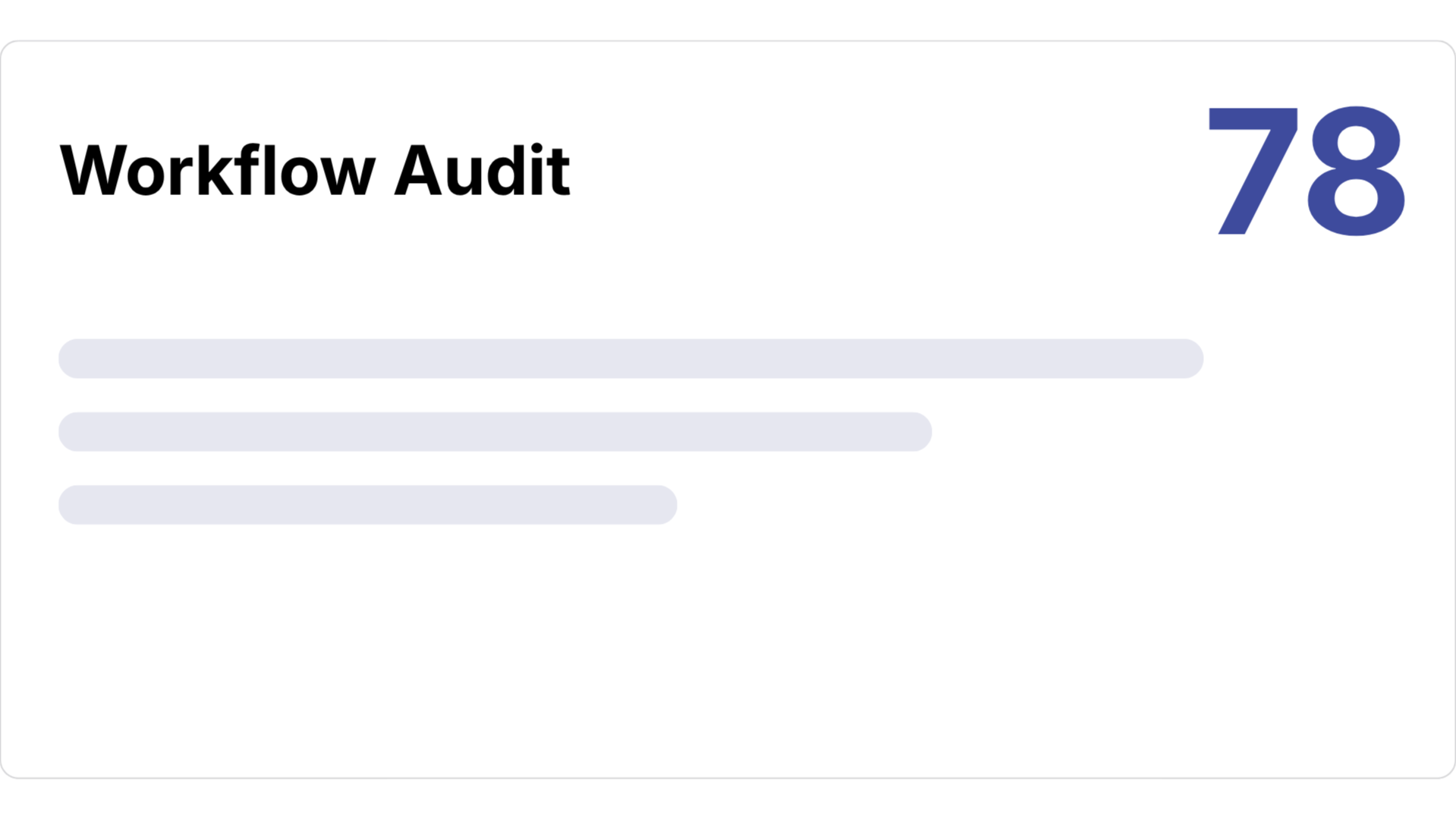
See your automation health score, 1-100
Howly flags stale, orphaned, empty, and duplicate workflows automatically. It also traces every upstream and downstream dependency of any workflow or property, so you know what a change will affect before you make it.
Portal health score, 0 to 100
Stale, orphaned, empty, and duplicate workflow detection
Full upstream and downstream dependency mapping
• RISK
Catch broken logic and technical debt
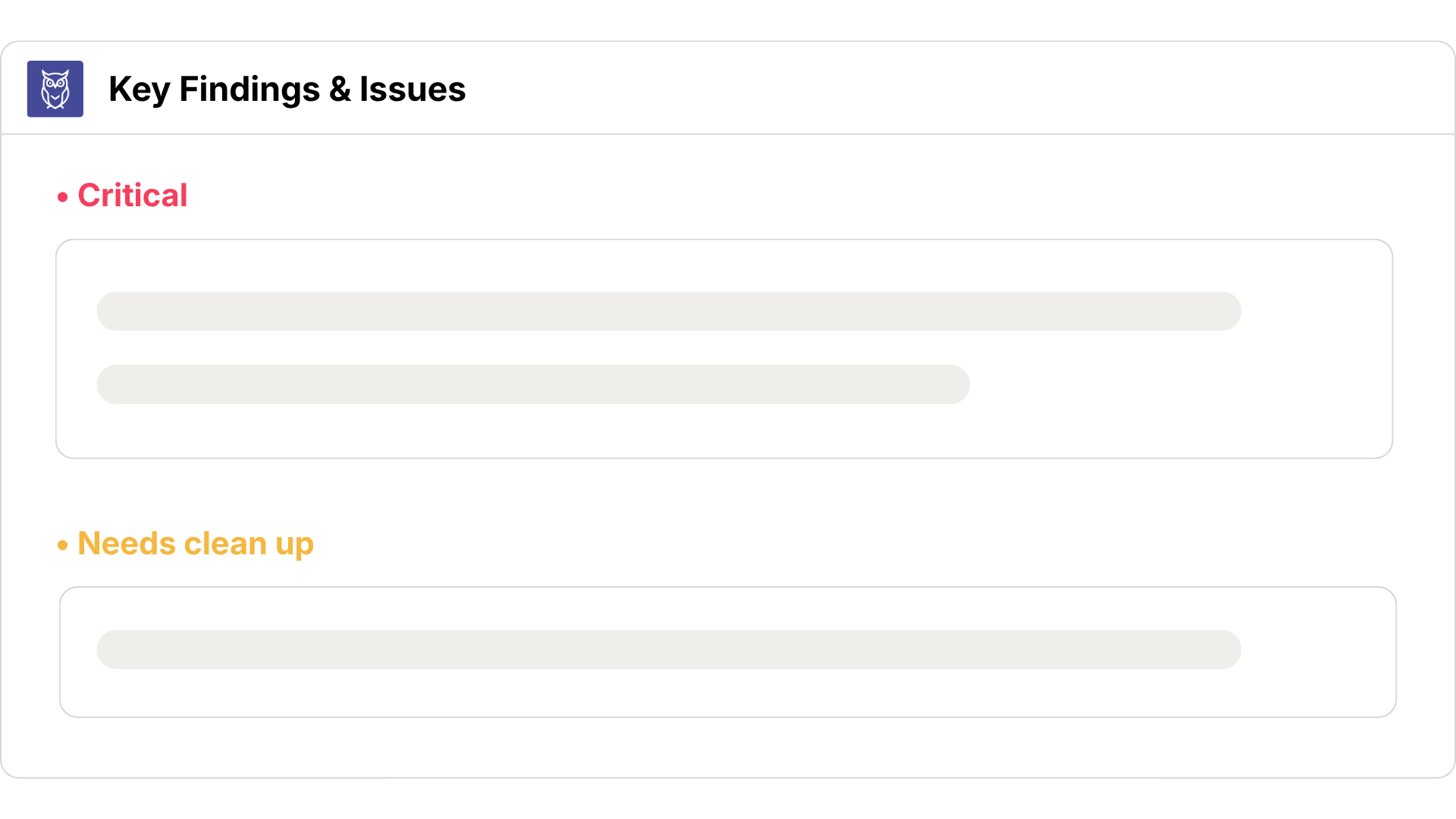
Get a prioritized list of structural bugs like circular loops, broken enrollment triggers, and duplicate property writes before they break your CRM data.
Detect circular loops and broken enrollment triggers
Surface duplicate actions causing race conditions
Flag stale, orphaned, and empty workflows
• insights
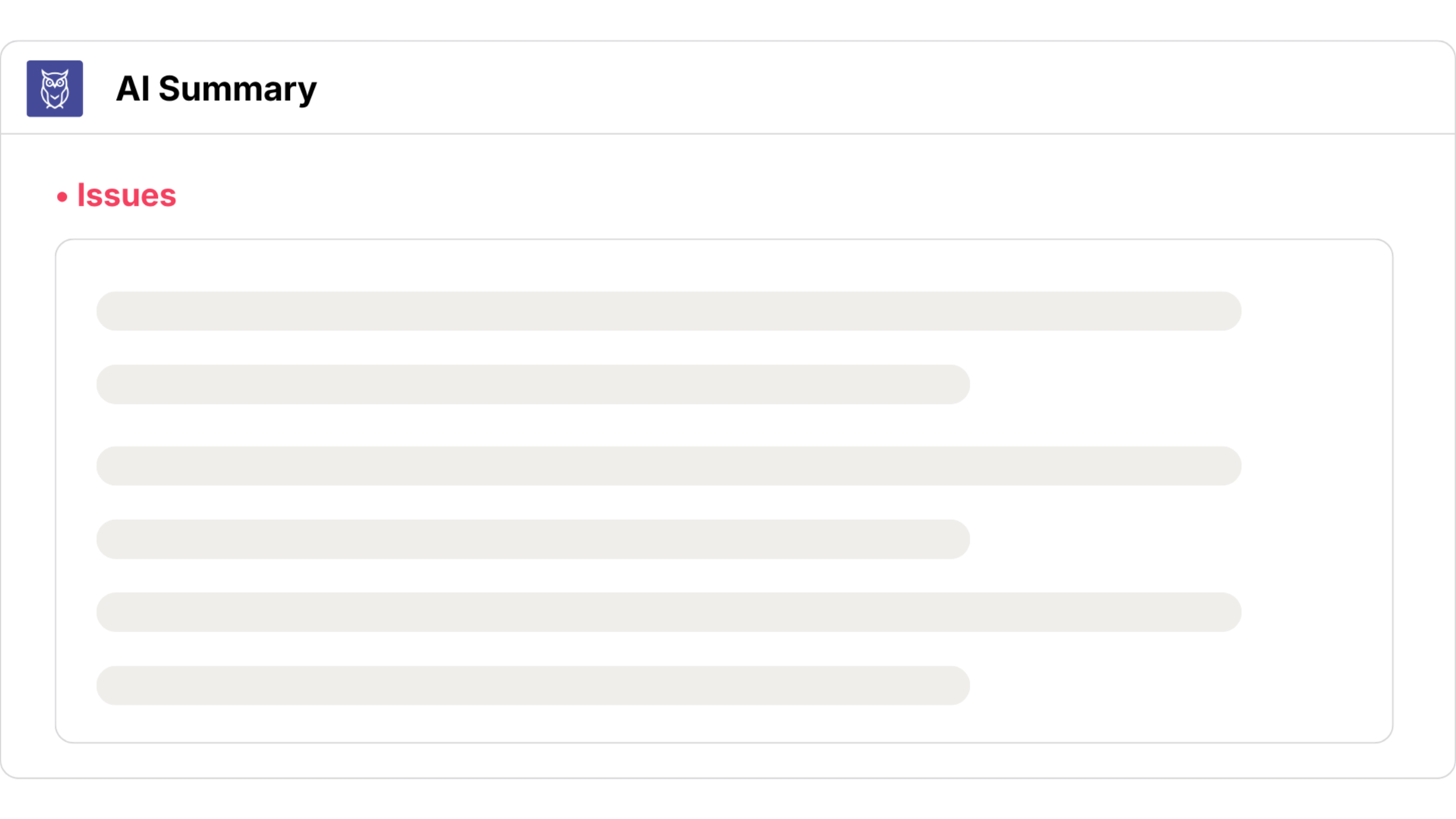
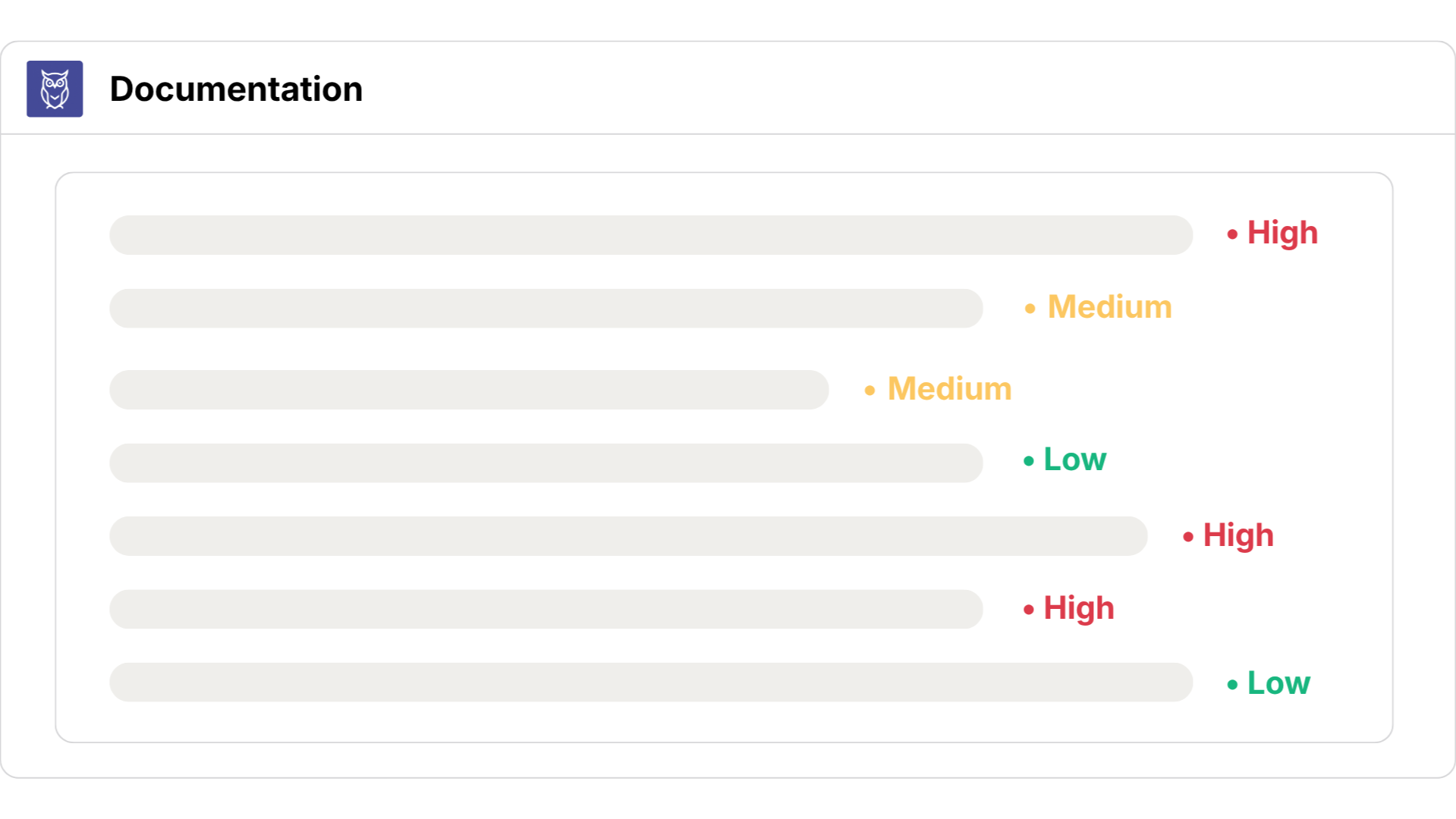
Let AI rank what matters
Howly's AI audit, powered by Claude, reads your entire portal and returns a ranked list of findings in about 15 seconds, so you know exactly where to start.
Every finding ranked by priority
Issues, gaps, and opportunities surfaced automatically
Query directly from Claude Desktop through native MCP
• governance
Turn tribal knowledge into documentation
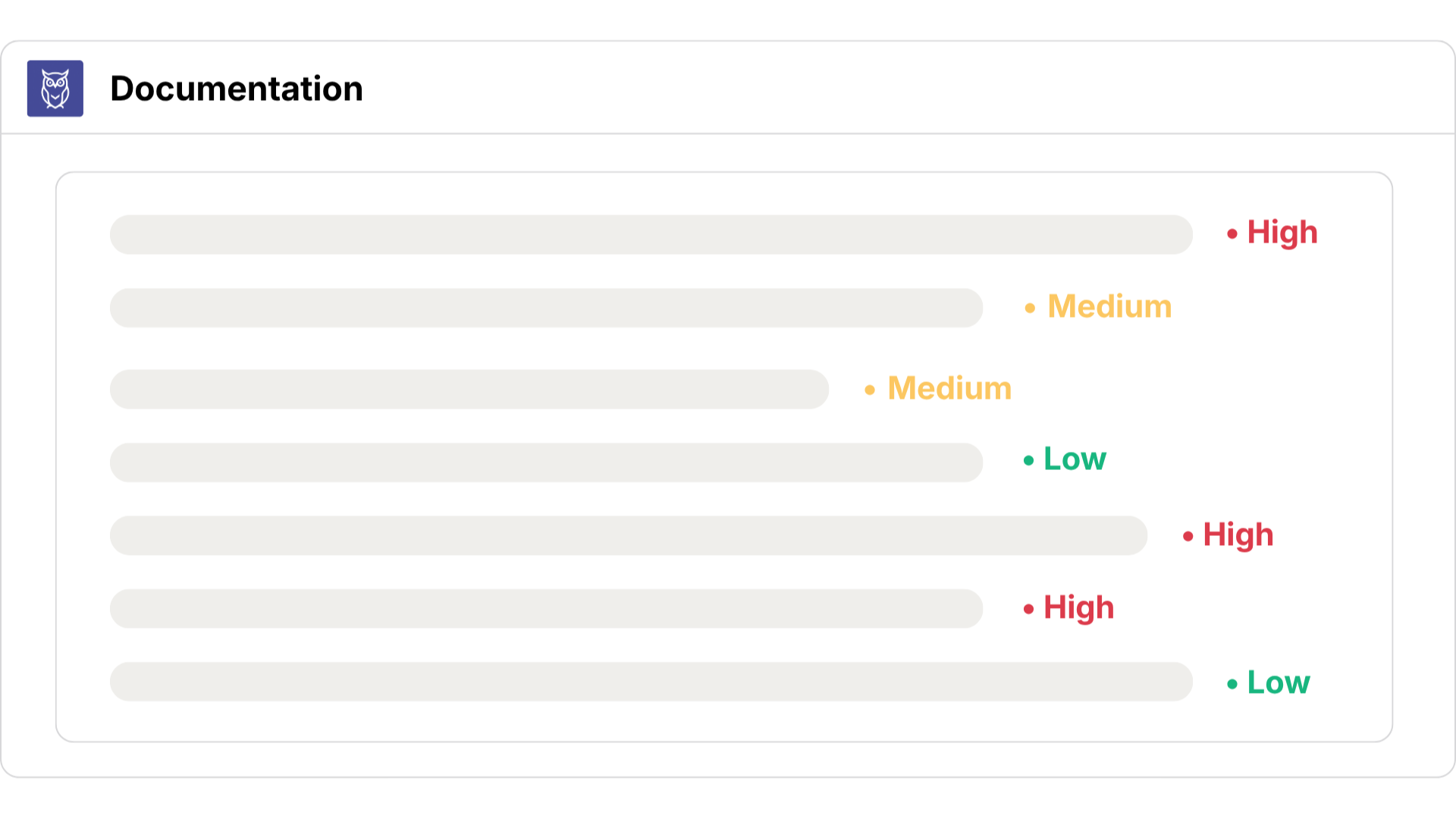
Add a purpose and risk level to any workflow, and Howly compiles it into a clean SOP page, so the next admin inherits context instead of guesswork.
Document any workflow's purpose and risk level
Coverage summary: what's documented, what's still a black box
Included automatically in your exported audit report
• deliverables
Export reports you can hand off
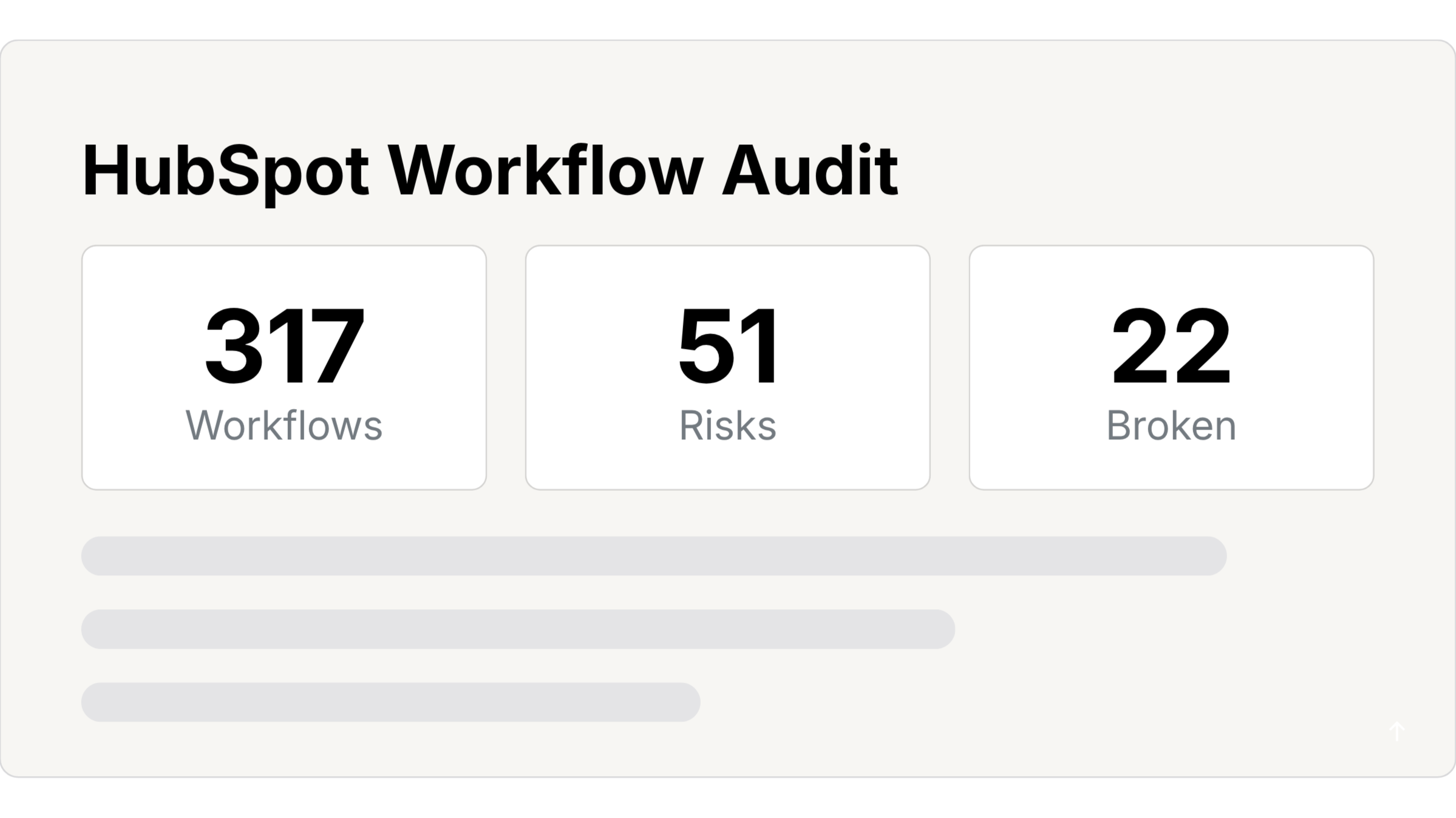
Export the whole audit, health score, AI insights, benchmarks, and workflow inventory, as a report your team or your leadership can actually use.
Portal health score and AI findings included
Benchmark your portal's health against others
Add your logo, colors, and org name to every report
Customers are reporting
70%
faster workflow audits
3–5x
quicker client discovery
45%
fewer workflow problems
<30 min
for a full workflow audit
Don't just take our word for it.

Eliminating Workflow Debt
QBS eliminates hidden workflow debt across portals. Learn how they gain full system visibility from day one.

90-Minute Portal Audits
MAVN Marketing manages 18 portals with three people. Learn how they run fast pre-sales audits to close deals.

Closing Deals with Audits
Shape & Scale manages eight portals simultaneously. Learn how they streamline workflow audits to close deals.
Your first workflow audit is on us.
Generate a fully branded, executive-ready health report for your team or client before your next meeting.

#1 Workflow Audit Tool for HubSpot Solutions Partners. Map, audit, and document HubSpot workflows in minutes.
Resources

© 2026 Howly · Powered by HubSpot, Inc.

Solutions & ROI
Seven ways solutions partners and consultants use Howly to get their time back.
• Ask Howly
Know exactly what to fix first
Problem
You can see everything that’s wrong with a portal. Figuring out what to actually do about it is still on you.
Solution
Ask Howly what to fix first, and it reads your workflows and tells you, with the exact ones to open.
• Impact analysis
See what breaks before you touch anything
Problem
You need to rename a property or turn off a workflow, but you have no idea what else depends on it.
Solution
Howly maps every workflow that uses that property as a trigger, a condition, or an output, so you see the full picture before you change a thing.
• Agency discovery & sales
Win the client on the first call
Problem
Discovery on a large portal can eat the entire first week before any real work begins.
Solution
Connect the portal and get a complete map, AI insights, and a prioritized issue list before the second meeting. Then show it live on the call.
• Workflow cleanup
Know what's safe to delete
Problem
Stale workflows, orphaned automations, and broken logic have piled up for years. Nobody knows what is safe to remove.
Solution
The Health Checker flags every stale, orphaned, and empty workflow automatically. Cleanup becomes a list instead of a guessing game.
Customers are reporting
70%
faster workflow audits
3–5x
quicker client discovery
45%
fewer workflow problems
<30 min
for a full workflow audit
• Audit, handoff & migration
A complete, client-ready deliverable
Problem
You need to show a client exactly what is broken and what it will take to fix, or de-risk a migration, without days of manual digging.
Solution
Connect the portal and get a health score and a branded report in minutes. For migrations, you get the full dependency map before you move anything.Learn more about Workflow Audits →
• AI agent governance
Full visibility from day one
Problem
AI agents can now create HubSpot workflows through the API. Without a visibility layer, portals get messy faster than ever.
Solution
Howly maps everything an agent builds, so you can see connections, property dependencies, and downstream impact before anything goes live.
• Workflow planning
Build before touching HubSpot
Problem
You want to build a new workflow but you're not sure how it fits into your existing automation or what it might conflict with.
Solution
Configure a planned workflow in Howly and see every connection it would have before you build it in HubSpot.
Don't just take our word for it.

Eliminating Workflow Debt
QBS eliminates hidden workflow debt across portals. Learn how they gain full system visibility from day one.

90-Minute Portal Audits
MAVN Marketing manages 18 portals with three people. Learn how they run fast pre-sales audits to close deals.

Closing Deals with Audits
Shape & Scale manages eight portals simultaneously. Learn how they streamline workflow audits to close deals.
Get total HubSpot visibility.

#1 Workflow Audit Tool for HubSpot Solutions Partners. Map, audit, and document HubSpot workflows in minutes.
Resources

© 2026 Howly · Powered by HubSpot, Inc.

Cut a three-day audit down to an afternoon
Show a client exactly what's broken in their portal before they've signed, then hand them the branded report that proves the scope.
• instant workflow maps
Visualize any HubSpot stack live on discovery calls
Map a client's entire system ecosystem automatically in under 30 seconds
Isolate complicated multi-branching logic chains clearly on your screen
Identify immediate portal bottlenecks to secure high-value cleanup projects fast
• Branded audit reports
Turn complex audits into branded client deliverables
Use your team’s custom logo, colors, and branding
Deliver clean portal health audits that justify remediation fees
Hand over workflow inventories to prove project delivery value
• Spot system waste
Spot database bloat and broken logic instantly
Filter active pathways from abandoned, legacy automations instantly
Isolate orphaned logic triggers and empty workflows
Clean up messy client workspaces while lowering operational risk
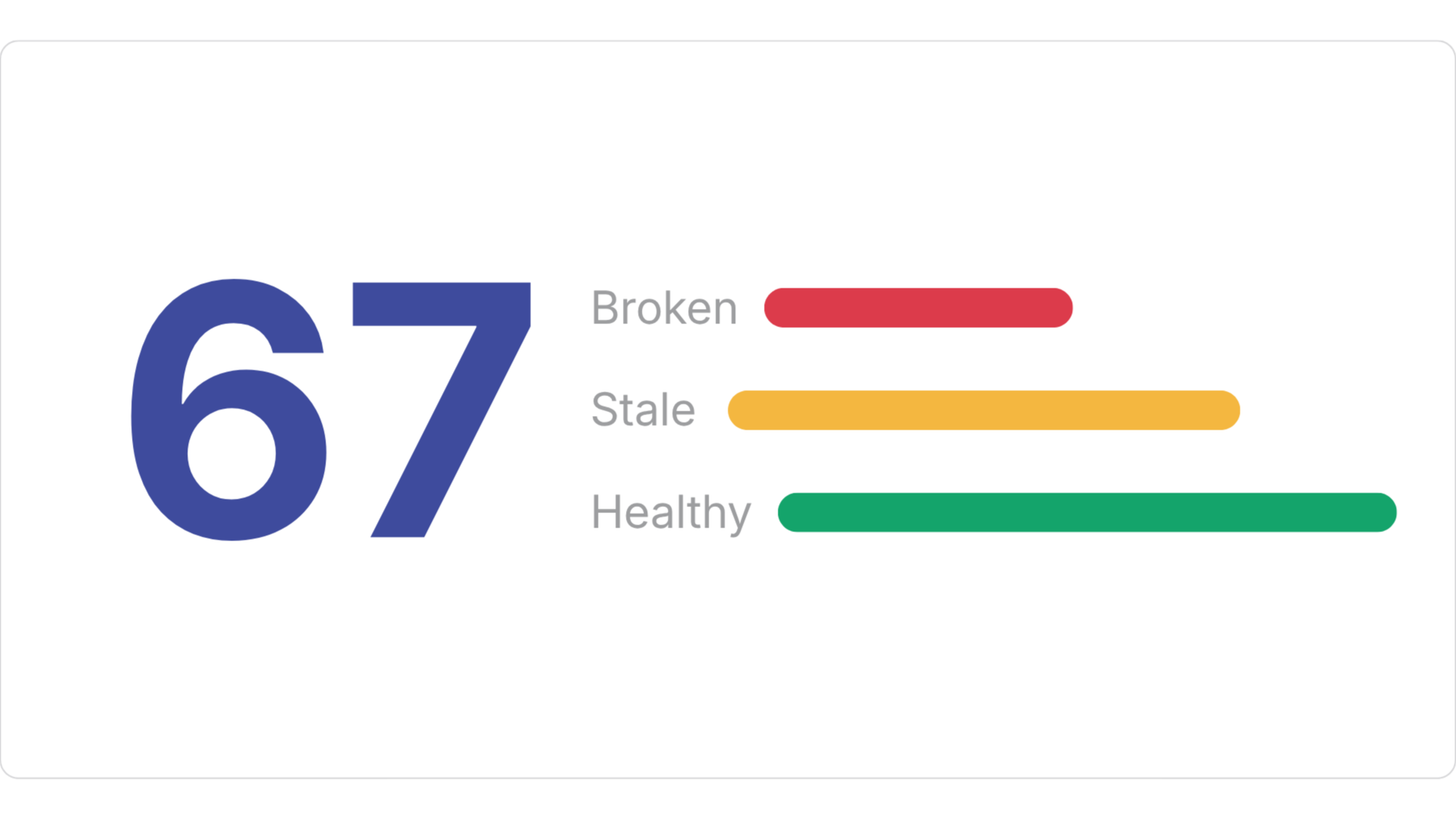
Customers are reporting
70%
faster workflow audits
3–5x
quicker client discovery
45%
fewer workflow problems
<30 min
for a full workflow audit

Don't just take our word for it.

Eliminating Workflow Debt
QBS eliminates hidden workflow debt across portals. Learn how they gain full system visibility from day one.

90-Minute Portal Audits
MAVN Marketing manages 18 portals with three people. Learn how they run fast pre-sales audits to close deals.

Closing Deals with Audits
Shape & Scale manages eight portals simultaneously. Learn how they streamline workflow audits to close deals.
Frequently Asked Questions
Stop auditing manually.
Win bigger client retainers, deliver faster audits, and maximize your team's project margins.

#1 Workflow Audit Tool for HubSpot Solutions Partners. Map, audit, and document HubSpot workflows in minutes.
Resources

© 2026 Howly · Powered by HubSpot, Inc.

Frequently Asked Questions

#1 Workflow Audit Tool for HubSpot Solutions Partners. Map, audit, and document HubSpot workflows in minutes.
Resources

© 2026 Howly · Powered by HubSpot, Inc.

Terms of Service
Last updated: April 14, 2026By accessing or using Howly, you agree to be bound by these Terms of Service. If you do not agree to these terms, you may not access or use the service.
1. Ownership & Operator
Howly is owned and operated by Christian Baun Consulting, a corporation registered in Canada. All rights, title, and interest in and to the service remain the exclusive property of Christian Baun Consulting.
2. Eligibility & Access
To use Howly, you must:
Be at least 18 years of age.
Possess the legal authority to connect third-party applications to your (or your client’s) HubSpot portal.
Ensure that your use of the service complies with all applicable laws and regulations.
3. Data Access & Security
Howly operates on a read-only basis regarding your HubSpot workflow data.
Scope: We access workflow names, triggers, actions, and connections.
Limitation: We do not modify, delete, or write data to your HubSpot portal.
Storage: We do not store your HubSpot workflow data on our servers. Data is fetched solely to render the visual map within your session.
4. Acceptable Use & Restrictions
You are granted a non-exclusive, non-transferable right to use Howly for internal business purposes or on behalf of your direct clients.Prohibited Actions: You agree not to:
Sublicense, resell, or commercially redistribute Howly as a standalone service.
Reverse engineer, decompile, or attempt to extract the source code of the platform.
Use automated systems (scrapers, bots) to extract data from the service.
Interfere with the security or integrity of the platform.
5. Non-Compete & Competitive Use
Access to Howly by competitors or for the purpose of competitive analysis is strictly prohibited. You may not use the service to build a competing product, perform benchmarking, or conduct competitive research without express written consent from Christian Baun Consulting. We reserve the right to terminate any account suspected of violating this provision.
6. Payments & Cancellations
Billing: All paid plans are processed securely via Stripe.
Cancellations: You may cancel your subscription at any time. Upon cancellation, your access will remain active until the end of your current billing cycle.
Refunds: Unless required by law, payments are non-refundable.
7. Limitation of Liability & Warranty
Howly is provided on an "AS IS" and "AS AVAILABLE" basis. While we strive for 100% uptime and accuracy:
We do not warrant that the service will be uninterrupted or error-free.
Christian Baun Consulting shall not be liable for any indirect, incidental, or consequential damages, including loss of data, revenue, or business reputation resulting from your use of the service.
Third-Party & Agency Connections: Howly relies on HubSpot’s OAuth authentication and permission settings. If an agency, consultant, or third party connects Howly to a HubSpot portal on your behalf (or if you connect Howly to a client’s portal), you acknowledge that Howly is not responsible for verifying whether such third party has express authority to do so. We assume no liability for unauthorized connections, improper access, or disputes arising between portal owners and third-party users. Portal owners are solely responsible for controlling user permissions, managing app integrations, and revoking API access within their own HubSpot environment.
8. Termination of Service
We reserve the right to suspend or terminate your access to Howly at our sole discretion, without notice, if we determine that you have violated these terms or engaged in conduct that harms the platform or its users.
9. Amendments
We may update these terms from time to time. Significant changes will be noted on this page. Your continued use of the service following an update constitutes acceptance of the revised terms.
10. Contact Information
For questions regarding these terms, please contact us at [email protected].

#1 Workflow Audit Tool for HubSpot Solutions Partners. Map, audit, and document HubSpot workflows in minutes.
Resources
© 2026 Howly · Independent of HubSpot, Inc.

Privacy Policy
Last updated: April 14, 2026At Howly, we believe in radical transparency regarding your data. This policy outlines exactly what we collect, how we use it, and—more importantly—what we do not do with your information.
1. Data We Access (HubSpot Integration)
When you authorize Howly via OAuth 2.0, we access specific metadata required to visualize your portal.
Workflow Metadata: We pull workflow names, triggers, actions, and connection logic.
Identification: We access your email address to associate your HubSpot portal with your Howly account.
The "No-Store" Rule: We do not store your HubSpot workflow structures or logic on our servers. This data is pulled "on-the-fly" to render your map and exists only within your active session.
2. Data We Never Collect
Howly is designed to be a visualization layer, not a data warehouse. We never access, pull, or store:
CRM Object data (Contacts, Companies, Deals, Tickets, Leads, or Custom Objects).
Customer lists or contact timelines.
Private notes or sensitive internal communication.
3. How We Use Your Information
We use the limited data we collect for the following purposes:
Service Delivery: To generate and display the visual map of your HubSpot workflows.
Account Management: To manage your subscription, trial status, and login via Supabase.
Communication: To send essential onboarding tips, billing notices, and product updates via Resend.
4. Third-Party Service Providers
We partner with a limited number of sub-processors to run the service. Each is vetted for security:
Supabase: Secure account authentication and user profile management (Email/Login).
Stripe: Secure payment processing. We never see or store your credit card details.
Resend: Transactional email delivery.
Analytics: We use privacy-focused analytics to track basic usage (e.g., page views) to improve the product. We do not use cross-site tracking or advertising cookies.
5. Data Security & Control
Encryption: All data transmitted between HubSpot, Howly, and your browser is encrypted via SSL/TLS.
Revocation: You maintain full control. You can revoke Howly’s access to your HubSpot portal at any time through your HubSpot Integrations settings.
Right to Deletion: If you wish to delete your Howly account and all associated profile data, please contact us.
6. Disclosure of Data
We do not sell, rent, or trade your personal or business data to third parties. We only disclose information if required by law or to protect the safety and rights of Christian Baun Consulting.
7. International Transfers
As a Canadian corporation, your account data may be processed on servers located in the United States or other jurisdictions where our sub-processors (like Supabase or Stripe) operate. By using the service, you consent to this transfer.
8. Changes to This Policy
We may update this Privacy Policy to reflect changes in our practices. We will notify you of any significant changes by updating the "Last Updated" date at the top of this page.
9. Contact Us
If you have questions about your privacy or how we handle your data, please reach out at [email protected].

#1 Workflow Audit Tool for HubSpot Solutions Partners. Map, audit, and document HubSpot workflows in minutes.
Resources
© 2026 Howly · Independent of HubSpot, Inc.

Turning workflow complexity into a competitive advantage.
As a HubSpot portal scales, so does the complexity of the workflows running inside it. Howly gives Solutions Partners and RevOps teams the context layer they need to manage that complexity with confidence.

Meet the team.

Christian Baun
I spent years uncovering messy HubSpot setups and overcomplicated automation as a consultant before starting Howly. I built this app to give teams a clear map of their workflows, so they can stop guessing what breaks when they flip a switch.

Chloe Vance
My background is in linguistics and teaching, which means I'm wired to break down complex things so they make sense. I help users through getting started with Howly, making sure every step feels clear and actually helps their team.

Jens Baun
I’ve been helping businesses automate their processes since the 1980s. Over the decades, I’ve learned that software only works if it actually serves the people using it, and I use that experience to help Howly grow the right way.
A Note from the Founder
HubSpot is the most powerful tool I've ever used to grow a business. But as a portal scales, the complexity of your workflow system grows with it. When you are managing hundreds of active automations, you cannot rely on memory alone.I built Howly because automation without visibility is guesswork.I wanted to see exactly what would happen before pushing a change live. Instead of spending hours manually mapping boxes and arrows, Howly gives you a clear picture of your entire workflow system in seconds. We are not here to change how you work in HubSpot. We're here to give you the clarity you need to do it faster.If you've ever felt the weight of managing a complex, high-growth portal, we built this for you.Christian Baun
Founder, Howly
Automation without visibility is guesswork.

#1 Workflow Audit Tool for HubSpot Solutions Partners. Map, audit, and document HubSpot workflows in minutes.
Resources
© 2026 Howly · Independent of HubSpot, Inc.

Scale your HubSpot services with confidence
Partner with Howly to provide automated workflow documentation and technical oversight, ensuring your clients’ portals stay clean as they grow.

Trusted by 250+ solutions partners









#1 Workflow Audit Tool for HubSpot Solutions Partners. Map, audit, and document HubSpot workflows in minutes.
Resources
© 2026 Howly · Independent of HubSpot, Inc.

Howly Pricing
Choose the plan that fits. Upgrade anytime as your team and client base scale.
Trusted by 250+ solutions partners
Frequently Asked Questions
Automation without visibility is guesswork.
Connect a portal and know exactly what you're working with.

#1 Workflow Audit Tool for HubSpot Solutions Partners. Map, audit, and document HubSpot workflows in minutes.
Resources
© 2026 Howly · Independent of HubSpot, Inc.

Security at Howly
Howly connects to your HubSpot portal through read-only OAuth 2.0. We never write to your CRM, never store your workflow data, and you can revoke access from HubSpot in a single click.
Secure by design
Howly is an official HubSpot app and Technology Partner, built around HubSpot's own OAuth and API standards. It connects with read-only access and never modifies your data, so you get full context into your workflows without any risk to your portal.Learn more on the HubSpot Marketplace ›

What Howly can see
Howly's HubSpot connection is scoped to one object type: workflows. It doesn't request access to your contacts, deals, tickets, or any other CRM data, only what's needed to map and audit your automations.
How we protect data in transit
All data transmitted between HubSpot, Howly, and your browser is encrypted with TLS 1.2 or higher.
AI-powered audits
Howly's AI audit sends workflow names, status, trigger types, action types, and action counts, along with portal-wide summary statistics, to Anthropic's Claude API to generate findings. For very large portals, only the 150 most recently modified workflows are sent in full detail, aggregate stats are still based on your entire portal. No contact, deal, or ticket data is ever included, only workflow structure. Audit results are cached for 24 hours to avoid rerunning the same analysis, then discarded.
What we store, precisely
The live structure of your workflows, names, triggers, actions, and connections, is cached in memory for up to two hours to keep the app responsive, then cleared. It's never written to a database table.Some things are saved deliberately, because that's the point of the feature: any note, purpose, or risk level you add to a workflow, and any planned workflow you build in the workflow planner, are stored so they're there the next time you log in.We also store your HubSpot connection token, so you're not reconnecting constantly, and a hashed version of any MCP access token you create, never the raw token.
Sub-processors
We use a small, named set of sub-processors: Supabase for authentication and database hosting, Stripe for billing, Anthropic for AI-powered audits, and Loops for account emails. We don't sell or share your data with anyone else.
• Read-only access
Connect via read-only OAuth 2.0 without ever giving access to contacts, deals, or ticket data.
• Zero data storage
Metadata caches in memory and is never saved to a permanent database table.
• Secure connection
Communication between systems is fully protected using modern TLS 1.2+ encryption standards.
• Read-only access
Automated audits process system logic only, keeping your underlying CRM records strictly isolated.
Security questions or vendor assessment?
Whether you're conducting vendor assessments, need clarification on our policies, or want to discuss custom security requirements, please don't hesitate to reach out.
Frequently Asked Questions

#1 Workflow Audit Tool for HubSpot Solutions Partners. Map, audit, and document HubSpot workflows in minutes.
Resources
© 2026 Howly · Independent of HubSpot, Inc.